NOW broadband checker
NOW Broadband: Legacy Hub Help and NOW Powered by Sky
First identify whether your contract is with legacy NOW Broadband or NOW Powered by Sky. Legacy NOW customers use the older NOW Hub support path, while NOW Powered by Sky customers use a Sky Hub, My Sky account and Sky support.

Check your renewal price
Legacy NOW contract or NOW Powered by Sky?
Legacy NOW packages are no longer sold to new members. Check whether moving to NOW Powered by Sky Full Fibre, Sky directly, Plusnet or another network offers the better equipment, speed and contract fit.
Check which NOW broadband service you have
NOW now has two distinct support paths. Legacy Brilliant Broadband, Fab Fibre and Super Fibre use older copper or part-fibre technology and a NOW-branded Hub. New orders are NOW Powered by Sky Full Fibre, with the contract, bills, My Sky account and support managed by Sky.
- Legacy NOW Broadband: use the NOW service-status, Hub-light, Broadband Buddy and master-socket checks on this page.
- NOW Powered by Sky: look for a Sky-branded Hub or Sky account. Use the Sky Broadband diagnostic guide for Sky Hub, ONT, Stream, Shield and full-fibre checks.
- New availability check: the current NOW sales route offers NOW Powered by Sky Full Fibre rather than the discontinued legacy NOW packages.
NOW line, Hub and streaming isolation path
For a legacy NOW line, test at the Hub first, then compare room-level Wi-Fi and streaming-device results. For NOW Powered by Sky, use the Sky Hub and full-fibre support route instead of applying legacy Hub instructions.
Choose one diagnostic route: use the legacy NOW Hub light key when the third green light is missing, the Broadband Buddy check when one VPN, game or website fails, or the loaded-latency route when streaming breaks only while the household connection is busy.
Run the Loaded Latency Test, the Bufferbloat Test and the Packet Loss Test over Ethernet before treating a Wi-Fi-only symptom as a provider fault.
Diagnosing NOW router and streaming symptoms
- Ethernet is healthy: focus on router placement or device Wi‑Fi.
- Streaming stutters with downloads: measure loaded latency under normal household use.
- All devices lose connection: record drops and packet loss before switching.
Legacy NOW Hub and Hub Two status lights
These light checks apply to legacy NOW Broadband Hubs. A NOW Powered by Sky customer should follow the Sky Hub and Sky support route instead.
| Hub light status | What it usually means | Most useful action |
|---|---|---|
| Three solid green lights | Power, Wi-Fi and the internet session are available. | If one device still fails, focus on its Wi-Fi path, Broadband Buddy, loaded latency or the individual app. |
| Only one or two green lights | The Hub has power, but the Wi-Fi or internet session has not fully come up. | Connect directly to the master socket with the supplied grey cable, remove extension wiring where possible, switch the Hub off for two minutes, then run NOW technical checks if the third green light does not return. |
| Amber Internet light | NOW says this can be related to a local broadband exchange problem or an account issue. | Check NOW service status and overdue payments. If the account is clear, switch the Hub off for two minutes and restart it. |
Hub Manager access: while connected to a legacy NOW Hub, open http://192.168.0.1. The default administrator login is admin with password nowtv unless it has been changed.
Broadband Buddy, VPN and gaming access checks
Broadband Buddy applies one account-level profile to devices using a legacy NOW Broadband connection. Test it when ordinary browsing works but a work VPN, PlayStation Network, Xbox Live or one safe website does not.
- Work VPN: add the VPN server address to the Allowed websites list. If the VPN still fails, give the exact error to the employer's IT team.
- PlayStation Network or Xbox Live: a PG rating, or a Custom profile that blocks Online Gaming, can prevent access. Change the rating to 13 or 18, or allow Online Gaming.
- One website is blocked: use the Block & allow websites controls rather than disabling every protection.
- Controlled off test: Broadband Buddy can be switched off, but NOW recommends the 18 rating when only category blocks need removing. Allow up to 15 minutes for changes to take effect.
Streaming stutter and loaded-latency checks
A normal quiet speed test does not show what happens when uploads and downloads compete. Use this route when Netflix, NOW, Prime Video, calls or games degrade only while cloud backup, camera uploads, console updates or large downloads are active.
- Prove the wired baseline: connect one capable device to a yellow Hub port and run the loaded-latency test before changing Wi-Fi settings.
- Pause background traffic: stop cloud backup, camera uploads, console updates and file sync, then repeat the same stream or call.
- Control the busy device: schedule or cap large uploads when the affected app needs a stable connection.
- Separate Wi-Fi from queueing: if Ethernet stays stable but the TV room fails, fix Hub position and wireless coverage. If Ethernet also degrades under load, investigate queue management or a different broadband tier.
- Do not confuse traffic management with local load: NOW says its legacy plans are unlimited and not deliberately slowed because of data usage.
Legacy NOW Hub security, replacement and support boundary
NOW has told affected legacy customers that their existing Hub can continue to work but no longer receives service or security updates. It does not offer an updated or replacement NOW Hub; new broadband orders use NOW Powered by Sky and a Sky-managed account.
- Change the Hub administrator password: open
192.168.0.1, choose Maintenance, sign in with the existing administrator details and set a unique password. - Keep the distinction clear: a NOW-branded Hub and NOW account use legacy support. A Sky-branded Hub or My Sky account means the broadband contract and support sit with Sky.
- Faulty legacy Hub: NOW says that from 31 July 2025 it cannot provide a replacement; a Hub that develops a fault can allow the service to end immediately without termination fees.
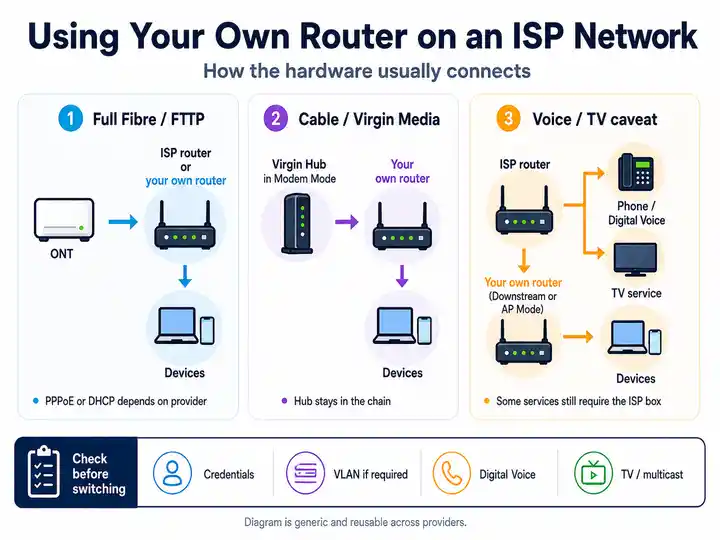
- Avoid unsupported credential recipes: NOW's current help route does not publish a supported universal third-party-router client-ID string. Keep the supplied Hub available for diagnosis and do not hard-code random credentials as a guaranteed fix.
NOW Broadband fault evidence checklist
Collect results that identify the service type and separate the access line, Hub, account filtering and Wi-Fi.
- Record whether the equipment says NOW or Sky and whether the account is managed in NOW My Account or My Sky.
- Run one wired speed, loaded-latency and packet-loss test from the router.
- Run a same-room Wi-Fi test and one test in the room where streaming or calls fail.
- Record the legacy NOW Hub light pattern before a controlled two-minute restart.
- Note whether an overdue payment, service-status incident or missing dial tone is present.
- Record the Broadband Buddy age rating, allowed-site test and exact app, VPN or gaming error when only one service fails.
- For an affected legacy Hub, record whether NOW has sent the security-update notice or whether the hardware itself has failed.
NOW Broadband fault pattern table
| NOW Broadband symptom | Most useful next check | Likely fault layer |
|---|---|---|
| Legacy NOW Hub shows one or two green lights | Use the legacy NOW Hub light key, master-socket check and two-minute restart. | DSL sync, internet session or local setup |
| Legacy NOW Hub shows an amber Internet light | Check service status, overdue payments and the account before restarting. | Exchange fault or account issue |
| Only a work VPN, PSN, Xbox Live or one website fails | Use the Broadband Buddy isolation checks. | Account-level category or allow-list setting |
| Streaming stutters only while uploads or downloads run | Run the loaded-latency route over Ethernet and pause background traffic. | Queueing delay or household load |
| One room is slow but Ethernet is healthy | Follow Wi-Fi speed checks. | Hub placement, walls or wireless interference |
| All devices stall or reconnect together | Run the Packet Loss Test and keep timestamps. | Line, Hub or wider service stability |
| Legacy NOW Hub no longer receives updates or has failed | Use the legacy Hub security and replacement route. | Unsupported or faulty legacy hardware |
| The router and account are Sky-branded | Use the Sky Broadband diagnostic guide. | NOW Powered by Sky service |
NOW Broadband service status and escalation
Use the support route that matches the equipment and account. Legacy NOW customers use NOW status and technical checks; NOW Powered by Sky customers use Sky support.
Check wider legacy NOW service issues first
Before changing a legacy NOW Hub or Wi-Fi settings, check NOW's official service-status page for broadband, phone, account and Hub checks. If the equipment or account is Sky-branded, use Sky's service-status route instead.
Open NOW official service status ↗Frustration checkpoint
Still below the promised speed or using unsupported legacy hardware?
Keep wired results, timestamps, Hub lights and the fault reference. NOW is covered by Ofcom's Broadband Speeds Code: an eligible provider-network speed problem that remains below the promised minimum and cannot be fixed within 30 days can create a fee-free exit right.
Jump up to NOW evidence ↑Compare NOW Powered by Sky Full Fibre, Sky, Plusnet and other networks at the address. A legacy Hub that develops a fault from 31 July 2025 can also qualify for immediate service termination without leaving fees under NOW's published policy.
Read switching rights →Focused answers
NOW Broadband FAQs
These answers match the FAQ structured data in the page head.
Is NOW Broadband still available to new customers?
Legacy Brilliant Broadband, Fab Fibre and Super Fibre are no longer sold to new members. New orders are NOW Powered by Sky Full Fibre, and the broadband contract, bills and support are managed by Sky.
Why does my legacy NOW Hub show only one or two green lights?
The Hub has power but the Wi-Fi or internet session has not fully come up. Connect it directly to the master socket with the supplied grey cable, remove extension wiring where possible, switch the Hub off for two minutes, then run NOW technical checks if the third green light does not return.
What does an amber Internet light mean on a NOW Hub?
NOW says an amber Internet light can be linked to a local broadband exchange problem or an account issue. Check service status and overdue payments, then switch the Hub off for two minutes before restarting it.
Can NOW Broadband Buddy block a work VPN, PlayStation Network or Xbox Live?
Yes. A work VPN server may need adding to the Allowed websites list, while a PG rating or a Custom profile that blocks Online Gaming can prevent PlayStation Network or Xbox Live access. Change one setting at a time and allow up to 15 minutes for updates.
What should I do if my legacy NOW Hub no longer receives security updates or develops a fault?
NOW advises changing the administrator password if you keep using an affected legacy Hub. It says updated or replacement NOW Hubs are not available, and a Hub that develops a fault from 31 July 2025 can allow the service to end without termination fees. New broadband orders use NOW Powered by Sky.
Can I leave NOW Broadband if speed stays below the minimum guarantee?
NOW Broadband is covered by Ofcom's residential Broadband Speeds Code. Report the problem and complete the required checks. If a provider-network speed problem remains below the promised minimum and cannot be fixed within 30 days, an eligible customer can leave without an early exit fee.
When NOW Broadband troubleshooting is no longer enough
If the account is NOW Powered by Sky, use Sky support and compare the current Full Fibre contract against other address-level offers. For a legacy NOW line, fix Wi-Fi placement, Broadband Buddy and loaded latency first. Escalate repeatable wired faults with evidence, use the minimum-speed remedy when eligible, or rely on NOW's published faulty-Hub exit route when legacy hardware can no longer be replaced.