How this test works
Ping, download and upload in sequence
The browser checks responsiveness, tests both transfer directions and combines the measurements into a practical connection rating.
PingDownloadUploadRate
Run a free broadband speed test for download speed, upload speed, ping and jitter, then use simple guides to fix the right connection problem.
Broadband speed explained
A broadband speed test checks how quickly data downloads and uploads, then measures ping and jitter to show how responsive and stable the connection feels for browsing, streaming, gaming and video calls.
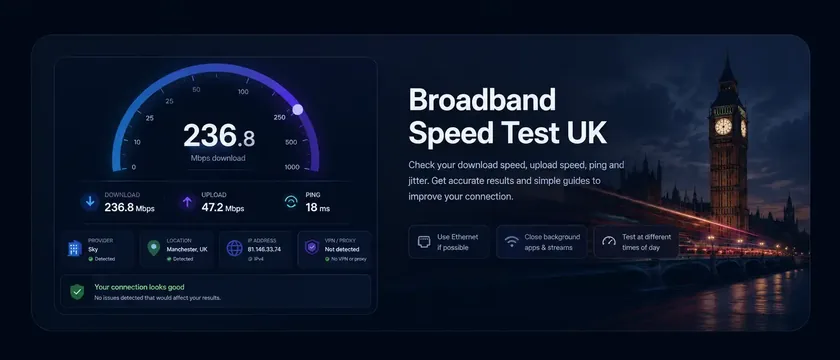
Run a quick speed test to measure download, upload, ping and jitter, identify whether the issue is your Wi‑Fi, router or provider.
Live speed test
See download, upload, ping, jitter and the live graph in one place.
How this test works
The browser checks responsiveness, tests both transfer directions and combines the measurements into a practical connection rating.
Slow result? Check your upgrade options
If repeated Ethernet tests are slow, enter your postcode to check Openreach FTTP, Virgin Media, CityFibre and local alt-net availability.
Note: Results are estimates. Location and ISP may be approximate, and Wi‑Fi, VPNs or congestion can affect speeds.
Privacy: The recent results feed is anonymous. It does not store IP addresses; it only shows speed, quality, broad provider/location and device-type context.
Trophies mark the three fastest download results currently shown; the snail marks the slowest.
Choose the problem you recognise
Select the symptom closest to yours for the most useful next step.
Repeated poor results? Check contracts, switching and compensation. A new provider will not fix weak Wi‑Fi if Ethernet is fine.
Compare providers by reliability, speed consistency and outages.
Reliability GuideMoney and rights tools
Use a calculator when the issue is an outage or an unexpected price increase.
Short broadband updates on rollout, providers, Wi‑Fi, latency and speed test trends.
Ofcom has fined Virgin Media £28m after finding customers faced unreasonable hassle when trying to cancel or switch. It is a sharp reminder to check your rights before staying with a poor broadband deal.
Ofcom’s latest planned deployment data says full fibre could be available to 28.1 million UK homes by January 2029, with gigabit-capable coverage potentially reaching 95%.
Virgin Media O2 is facing growing pressure from alternative full-fibre networks and aggressive broadband pricing. Investor concern has increased as competition affects customer growth, network strategy and long-term cash-flow expectations.
Fixed-price broadband is attracting more attention as households look to avoid mid-contract price rises. Many major providers still include annual increases, while some alternative fibre networks promote no in-contract price-rise guarantees.
Broadband by city
Check city-level full fibre rollout, local speed context and address availability.