25–50 Mbps
One or two users, browsing and occasional HD streaming.
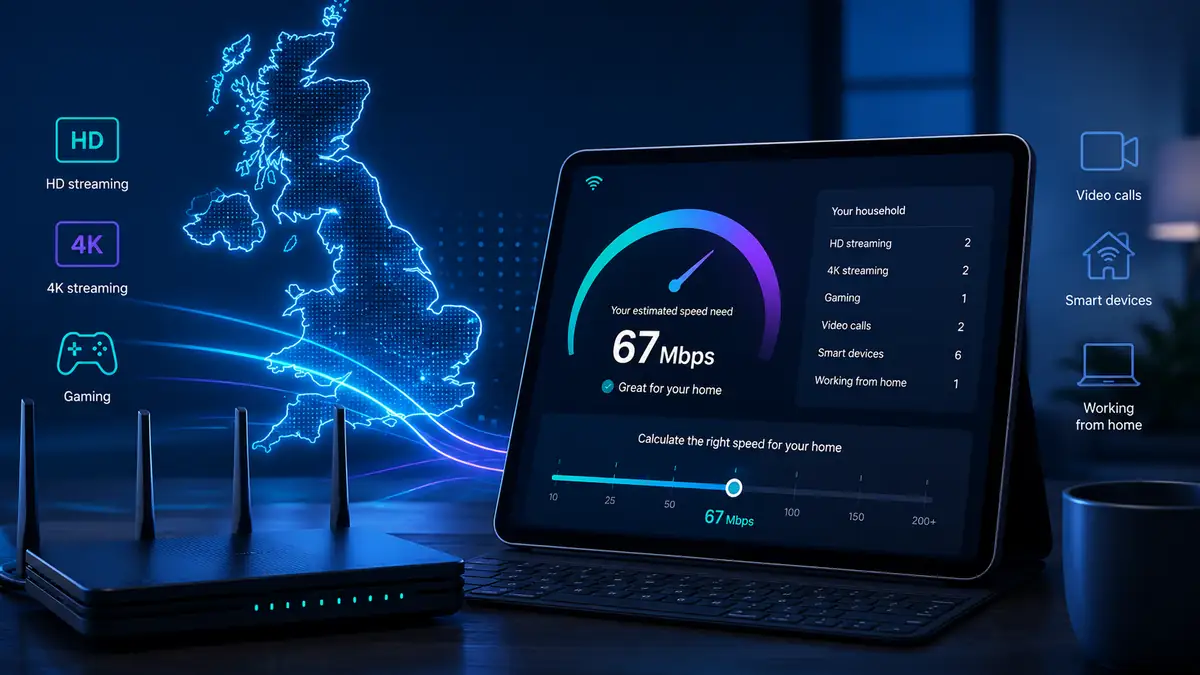
Use the internet speed calculator to estimate the download and upload speed your home needs for streaming, gaming, video calls, working from home and smart devices.
Broadband packages often sell the biggest number, but the best choice depends on simultaneous use. Add the people, streams, calls and devices in your home to estimate a sensible speed range.
Quick answer
For many UK households, 100–150 Mbps is a sensible starting point. Busy homes with several 4K streams, video calls or large downloads happening at the same time often benefit from 300–500 Mbps. Use the internet speed calculator below to size the connection from simultaneous use rather than household size alone.
This broadband bandwidth calculator estimates shared household capacity and calculates download and upload targets separately. It is not a Wi‑Fi speed test; run the LinkSpeed broadband speed test to measure your current connection.
The estimate combines simultaneous activity with extra headroom. Use it as a planning guide rather than a guaranteed provider recommendation.
| Activity | Typical allowance | What matters |
|---|---|---|
| HD streaming | About 10 Mbps per stream | Consistent download speed |
| 4K streaming | About 25 Mbps per stream | Download speed and Wi‑Fi quality |
| Online gaming | Modest bandwidth | Ping, jitter and packet loss |
| Video calls | About 8 Mbps per call | Upload speed and latency |
| Smart devices | Small cumulative load | Router capacity and coverage |
One or two users, browsing and occasional HD streaming.
Families, HD or occasional 4K streaming and home working.
Busy homes, several 4K streams, large downloads and calls.
Heavy simultaneous use, very large downloads and multi-gig networks.
Download time calculator
Turn a package speed into something practical. Choose a typical file or enter your own size, then compare the ideal download time with a more realistic allowance for Wi-Fi, server and protocol overhead.
Real-world performance
Your package speed is not the only limit on a real download. Wi‑Fi conditions, protocol overhead, the source server and other devices using the connection can all reduce the throughput a browser or app actually receives. Repeat a slow result over Ethernet before assuming the broadband line itself is the bottleneck.
If large downloads make gaming or calls suddenly lag, run the LinkSpeed Bufferbloat Test to check queueing delay. If a connection glitches or drops data despite healthy headline Mbps, use the Packet Loss Test to look for failed or unstable requests.
If your headline speed looks fast right next to your broadband router but collapses when you walk into a bedroom, buying a more expensive broadband tier will not fix the problem. If physical barriers, thick walls or foil insulation are trapping your signal in a single room, walk through our Single-Room Wi‑Fi Dead Zone Guide, or see if a simple hardware extension makes sense in our Wi‑Fi Extender & Booster Positioning Layout.
For gaming and calls, raw Mbps is only part of the picture. If multiple devices are active and latency spikes under load, check Best Router Settings for Gaming before paying for a faster broadband tier.
For light browsing and HD streaming, 25 to 50 Mbps is usually sufficient. Busy households with multiple users streaming 4K video, taking video calls, or downloading large game files will find 150 to 500 Mbps provides much-needed headroom to prevent network congestion.
Around 100 to 150 Mbps is a sensible starting point for many three to four person UK households. If several people regularly stream 4K video, take video calls or download large files at the same time, 300 Mbps or more can provide more useful headroom.
It estimates the broadband bandwidth that your Wi‑Fi and wired devices may need at the same time. It does not measure actual Wi‑Fi throughput. To measure your connection, run the LinkSpeed broadband speed test, ideally comparing Wi‑Fi with Ethernet.
For lighter household use, around 10 Mbps upload can be adequate. Several simultaneous video calls, cloud-work sessions or device uploads can justify a planning target around 25–50 Mbps or more. The calculator estimates upload separately from download using the activity levels you select.
Around 10 Mbps upload can be enough for one person doing normal video calls and cloud work, while 20–30 Mbps or more gives useful headroom when several calls, backups or uploads happen at the same time. Stable latency and Wi‑Fi also matter, so upload speed alone does not guarantee good remote-working performance.
Yes, 100 Mbps can easily handle multiple HD streams and working from home. However, it may become an interactive bottleneck if several devices try to download large game updates or stream raw 4K video files simultaneously.
No. Live online gaming requires very little raw bandwidth, often using less than 5 Mbps. Connection stability metrics like low ping, zero packet loss, and minimal jitter are far more important for gaming performance than high headline download speeds.
File size is converted into megabits and divided by the connection speed in megabits per second. The calculator also shows a practical allowance because Wi-Fi, protocol overhead, server limits and other household traffic can make the real download take longer.
In ideal conditions, 100 GB takes about 2 hours 13 minutes at 100 Mbps, 26 minutes 40 seconds at 500 Mbps, or 13 minutes 20 seconds at 1 Gbps. Allow extra time when the source server or Wi-Fi cannot sustain the full package speed.
Useful next check
The calculator gives a household speed target. The next step is to check which networks and packages can genuinely deliver that range at the address.