Enough for HD or 4K streaming with browsing and phones active.
STREAMING BROADBAND GUIDE
Best broadband for streaming in the UK, Netflix and 4K
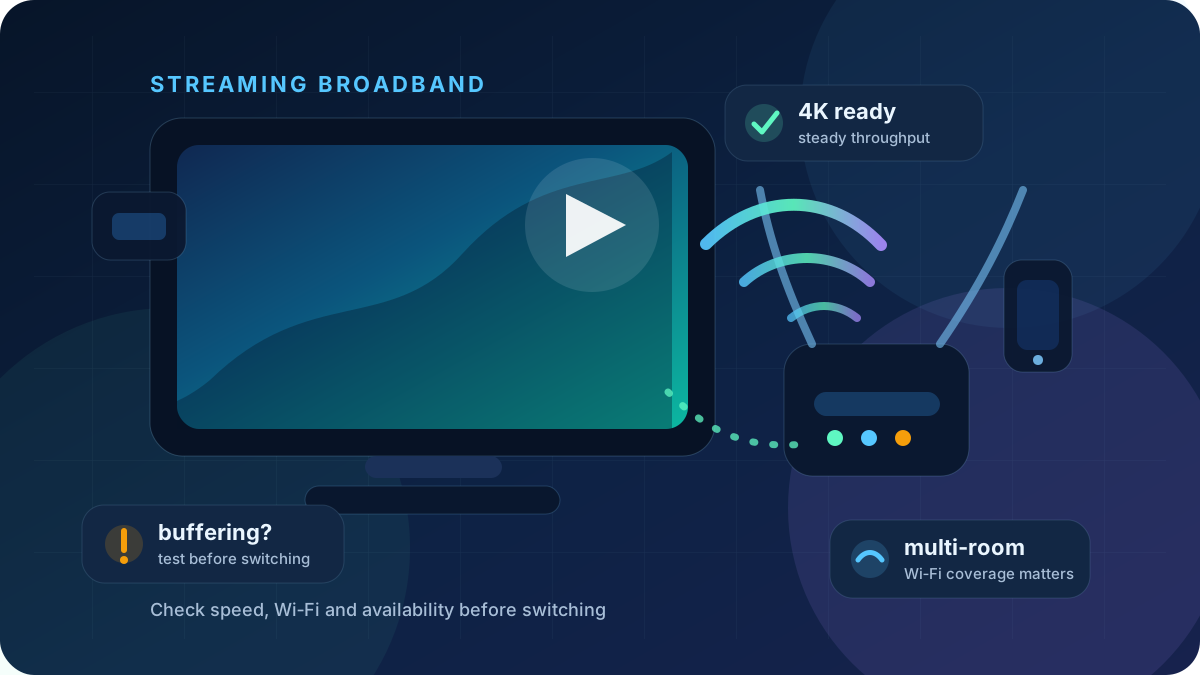
Streaming needs more than a big headline download speed. The best choice is a package and home Wi‑Fi setup that keeps your TV, streaming stick, phones and other devices stable at the same time.
4K 25 Mbps+ per stream
Wi‑Fi strong near the TV
Busy homes extra headroom
Recommended tests
Test the connection that actually streams
Check speed first, then use packet loss and bufferbloat tests if playback stalls despite adequate download capacity.
Quick answer
What is the Best Broadband for Streaming in the UK?
TL;DR
For flawless 4K streaming, aim for at least 25–50 Mbps per active device, and ideally a 150+ Mbps full fibre connection for busy UK homes.
The best broadband for streaming is not always the fastest advertised package. It is the connection that delivers stable speed to the TV, enough Wi‑Fi coverage in the room, reliable evening performance and headroom for phones, consoles and laptops.
Good for one 4K stream, a second screen and normal app usage.
Better when TVs, phones, consoles and laptops are online together.
Useful for several 4K streams, large downloads and busy evenings.
Streaming Speed Guide Matrix for UK Homes
Use these figures as practical headroom rather than a strict rule. The speed that reaches your TV over Wi‑Fi matters more than the speed advertised on the package.
| Streaming use | Typical speed guide | What can still cause buffering? | Best next step |
|---|---|---|---|
| HDHD streaming | 10–20 Mbpsper stream | Weak Wi‑Fi, old device, app issue or evening congestion. | Run a speed test |
| 4K4K streaming | 25 Mbps+per stream | Wi‑Fi to the TV, router placement and other active devices. | Use speed calculator |
| 2 TVsTwo TVs at once | 75–150 Mbpssensible floor | One room may have weaker Wi‑Fi than another. | Fix one slow room |
| FamilyStreaming and gaming | 150–300 Mbps+extra headroom | Game downloads and uploads can create latency spikes. | Check bufferbloat |
| HeavyVery busy home | 500 Mbps+where affordable | Router, mesh and Wi‑Fi backhaul can bottleneck fast full fibre. | Compare full fibre |
Before switching
Why Does My TV Keep Buffering? Broadband vs Wi‑Fi
Buffering is often blamed on the provider, but the weak point is often inside the home. Test beside the router, then test near the TV or streaming stick. If the router result is strong but the TV room is weak, improve Wi‑Fi before switching.
Switching may help when...
- Wired speed is poor compared with the package.
- Streaming slows down across the whole home.
- Evening speeds collapse repeatedly.
- Your package is too small for the number of screens.
- Full fibre is now available at your address.
Wi‑Fi fixes may help when...
- Only one room or one TV buffers.
- The router is hidden, low down or behind the TV.
- The streaming stick is using weak 2.4 GHz Wi‑Fi.
- Powerline adapters or extenders are unstable.
- Ethernet tests are good but Wi‑Fi tests are poor.
Best broadband type for streaming
Full fibre
Usually the strongest upgrade path for busy streaming homes, especially when multiple people stream, game and work at the same time.
Best full fibre broadbandCable broadband
Can provide very fast downloads in many areas, but check upload speed, local consistency and router/Wi‑Fi quality.
Virgin Media speed testFTTC / part-fibre
Can still stream well if the line is stable, but busy homes may outgrow the download and upload headroom.
How much speed do I need?5G broadband
Can work well with strong signal and careful router placement, but test peak-time stability before relying on it for the main TV.
5G broadband lag guideFix buffering before you switch
- Run a speed test near the router. This checks the broadband connection without the weakest room getting in the way.
- Run another test near the TV. If the result drops sharply, the issue is probably Wi‑Fi coverage.
- Try Ethernet if possible. A wired TV, console or streaming box removes Wi‑Fi from the test.
- Check whether the issue is one app. If only one streaming service buffers, the broadband line may not be the cause.
- Look for evening patterns. Whole-home slowdowns at peak time are more likely to justify comparing providers.
- Check your contract. If you are out of contract, switching or negotiating may save money as well as improving speed.
Streaming troubleshooting
Fix the app-specific buffering problem first
If only one streaming service is buffering, use the matching troubleshooting guide before assuming your whole broadband package is wrong. If Netflix, YouTube and BBC iPlayer all struggle across the home, then compare speed, Wi‑Fi coverage and provider options.
NNetflix
15 Mbps
Typical guide for 4K UHD before adding household headroom.
Open Netflix buffering guide▶YouTube
20 Mbps
Useful guide for 4K 60fps, especially on smart TVs and consoles.
Open YouTube buffering guideBBCiPlayer
24 Mbps
Practical guide for 4K UHD / high quality streams on supported devices.
Open iPlayer buffering guideCompare broadband
Use the comparison hub when tests show your current package, speed or provider is the bottleneck.
Streaming broadband FAQs
What broadband speed do I need for streaming?
HD streaming is usually comfortable around 10–20 Mbps per stream, while 4K often benefits from 25 Mbps+ per stream. Busy homes should add headroom for other TVs, phones, laptops and consoles.
What is the best broadband for streaming in the UK?
The best broadband for streaming in the UK is normally a stable full fibre package where available, with enough speed for every active screen, strong Wi‑Fi to the TV and reliable peak-time performance.
Why does my TV keep buffering?
TV buffering is often caused by weak Wi‑Fi near the TV, old streaming hardware, router congestion, packet loss, evening slowdowns or too many devices sharing the connection. Test near the router and near the TV before switching.
Why does Netflix buffer with fast broadband?
The issue may be weak Wi‑Fi near the TV, old streaming hardware, router congestion, packet loss, evening slowdowns, the app itself or too many devices using the connection at once.
Is full fibre good for streaming?
Full fibre can be excellent for streaming because it can provide strong download speed, better upload options and stable performance. It still needs good Wi‑Fi or Ethernet inside the home.
Should I switch broadband if streaming keeps buffering?
Switching may help if wired tests are slow, whole-home streaming is poor, or your current package is too small. If only one room buffers, improve Wi‑Fi coverage before changing provider.
What speed do Netflix, YouTube and BBC iPlayer need for 4K?
As a practical guide, allow around 15 Mbps for Netflix 4K UHD, 20 Mbps for YouTube 4K 60fps and 24 Mbps for BBC iPlayer 4K UHD, then add headroom for the rest of the home.