Full fibre / FTTP
Usually the strongest reliability starting point because it avoids the final copper line. Check installation quality, router placement and whether the upload tier gives enough headroom.
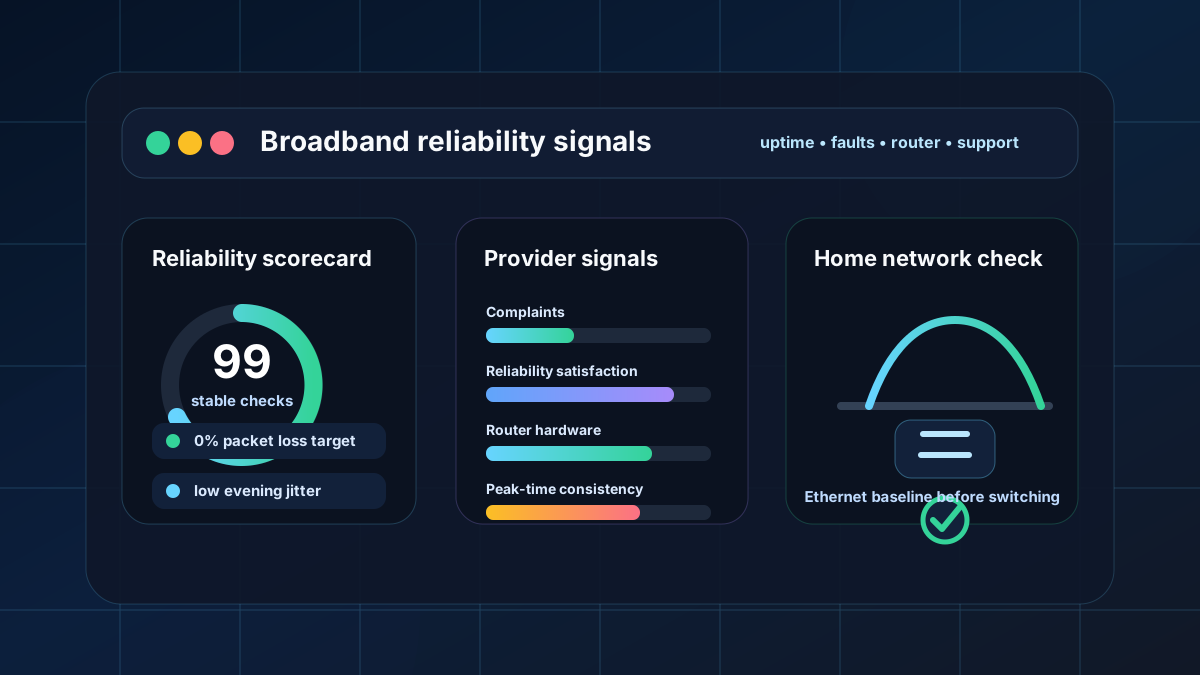
The most reliable broadband provider is the one that gives your exact address stable uptime, low dropouts, predictable latency and a router that can handle the whole home. Use national data as a shortlist, then test locally before switching.
Reliable broadband guide
The best reliability choice is not always the biggest advertised speed. Start with the provider groups that perform well on public service-quality signals, then check what is actually available at your address and test the connection over Ethernet.
Quick answer
For most UK homes, the safest reliability shortlist starts with full fibre where available, then provider groups with strong service-quality signals. Plusnet stands out in Ofcom satisfaction data, Virgin Media and Plusnet were the least complained-about broadband providers in Ofcom's latest Q4 2025 update, while TalkTalk and Vodafone were the most complained-about in that quarter.
Use those signals as a shortlist, not a guarantee. Reliability changes by street, cabinet, fibre network, router, Wi‑Fi layout and how quickly faults are fixed locally. A well-installed FTTP service at your address can outperform a nationally famous brand on an older or congested local network.
Data note: Ofcom's 2025 customer-service report says 84% of broadband customers were satisfied overall, Plusnet customers were above average at 91%, TalkTalk customers were below average at 77%, and 83% of broadband customers were satisfied with service reliability. Ofcom's Q4 2025 complaints update named Plusnet and Virgin Media as the least complained-about broadband providers, and TalkTalk and Vodafone as the most complained-about. Ofcom Q4 2025 complaints update · Ofcom 2025 customer service report
Provider comparison
This table combines public service-quality signals with the engineering factors that actually affect dropouts and uptime at home. Ofcom does not publish a universal disconnections-per-year figure for every provider at every address, so the strongest comparison uses complaints, satisfaction, network type, router capability and your own LinkSpeed tests.
| Provider or network group | Reliability signal | Best reliability fit | Watch-outs | Router / hardware grade | What to do before switching |
|---|---|---|---|---|---|
| Plusnet Openreach-based FTTC / FTTP |
Strong public signal: above-average overall broadband satisfaction in Ofcom's 2025 report and named among the least complained-about broadband providers in Q4 2025. | Homes that can get clean Openreach FTTP, or a stable FTTC line with good support expectations. | Reliability still depends on the local Openreach line, installation quality and router placement. | Good Generally sensible for standard homes; power users may still prefer their own mesh or router. |
Check address-level FTTP first, then run Ethernet ping and packet-loss tests after install. |
| BT / EE Openreach FTTP and FTTC |
Large network footprint and strong router/support ecosystem; BT customers were less likely than average to have had a reason to complain in Ofcom's 2025 report. | Homes that value mainstream support, engineer access, full-fibre availability and predictable router hardware. | National brand size does not remove local faults. FTTC lines can still suffer old copper issues. | Strong Usually one of the better supplied-router positions among major providers. |
Compare FTTP install date, upload tier and whether you need Wi‑Fi discs or Ethernet backhaul. |
| Sky / NOW Openreach-based packages |
Often competitive on service experience, but Ofcom's 2025 report found Sky customers were more likely than average to have had a reason to complain about broadband. | Homes where Sky/NOW offer a good Openreach FTTP package and router coverage suits the property. | Bundled TV, router coverage and support experience may influence perceived reliability as much as line quality. | Good / varies Fine for many homes; check Wi‑Fi coverage and Ethernet needs. |
Use the LinkSpeed availability checker, then test peak-time latency before assuming the package is the cause of any lag. |
| Virgin Media Cable / full fibre areas |
Named among the least complained-about broadband providers in Ofcom's Q4 2025 update, but Ofcom's 2025 report found Virgin Media reliability satisfaction below the broadband average. | Homes where Virgin is the fastest fixed-line option and the local segment performs well at peak time. | Local congestion, upload ratio, hub placement and loaded latency can affect reliability feel even with high download speed. | Strong hardware, local variance Modern hubs can be capable, but Wi‑Fi layout and congestion still matter. |
Run speed, ping and bufferbloat tests in the evening before comparing it with FTTP alternatives. |
| Vodafone / TalkTalk Openreach and CityFibre where available |
Can be good value and can run over strong fibre networks, but Ofcom's Q4 2025 update named Vodafone and TalkTalk as the most complained-about broadband providers in that quarter; TalkTalk satisfaction was below average in the 2025 report. | Homes with full fibre availability, strong price terms and confidence in the local network route. | Do not judge on price alone. Check support expectations, router capability, installation lead time and complaint trend. | Varies Can be fine, but check router model, Wi‑Fi coverage and whether your own router is allowed. |
Use a measured baseline: Ethernet speed, ping, packet loss and loaded latency at the times you use the connection most. |
| Regional full-fibre altnets Community Fibre, Hyperoptic, YouFibre, Gigaclear, Brsk and local networks |
Often excellent where the build is true FTTP and local operations are mature, but many smaller networks are not directly comparable in Ofcom's major-provider tables. | Flats, new-builds, towns, villages or rural areas with a strong local fibre operator and good install reputation. | Coverage is hyperlocal. Support hours, router options, install delays and exit terms vary widely. | Often strong, varies by network Some offer modern routers and symmetrical packages; always check details. |
Ask neighbours, check contract terms, confirm ONT location and run LinkSpeed tests after activation. |
Network technology
Usually the strongest reliability starting point because it avoids the final copper line. Check installation quality, router placement and whether the upload tier gives enough headroom.
Can be very fast and stable where the local segment is healthy. Evening congestion, upload ratio and hub placement can still affect calls, gaming and working from home.
Reliability depends on cabinet distance, copper quality, joints and internal wiring. A clean short line can be fine; a long or noisy line can drop or add latency under load.
Useful where wired options are poor, but signal strength, line of sight, router position and mast capacity can change the reliability picture hour by hour.
Internal checking workflow
Do not start by opening seven different brand checkers. Start with availability and evidence, then narrow the shortlist to the provider groups that serve the exact property.
Use the LinkSpeed broadband availability checker to see whether full fibre, cable, FTTC, 5G or local altnets are realistic options before comparing provider names.
Connect a laptop or PC directly to the router and run the LinkSpeed broadband speed test. Record download, upload, ping and jitter when the connection is quiet.
Run the LinkSpeed bufferbloat test while someone streams or uploads. If latency jumps hard, your router or upload headroom may be the real reliability problem.
Repeat the same tests at peak time. A provider can look reliable at lunchtime and unstable at 8pm if the local network path is congested.
Router and Wi‑Fi reliability
A reliable line can still feel unreliable if the router is in the wrong place, overloaded, or struggling with Wi‑Fi coverage. Many perceived provider faults are actually weak Wi‑Fi, bad extenders, old Ethernet ports, poor DNS, or bufferbloat when the upload side is full.
Thick walls, foil insulation, cupboards, TVs and low router placement can make one room drop even when the broadband line is healthy.
Routers that move devices between 2.4GHz and 5GHz poorly can cause sticky devices, slow rooms and brief dropouts during calls or games.
Good routers handle traffic queues better when uploads, backups and game downloads run at the same time. This reduces loaded latency spikes.
Some homes need 4G/5G backup for working from home. It can protect against outages, but it will not always match wired latency or NAT behaviour.
Switching decision
| Switch or upgrade if... | Do not switch yet if... |
|---|---|
| Ethernet tests show repeated packet loss, dropouts or high latency at different times of day. | Only one room or one device is unreliable over Wi‑Fi. |
| Full fibre is available and your current connection is old copper, unstable FTTC or congested cable/5G. | Problems appear only during downloads, backups or streaming, which may point to bufferbloat. |
| Your provider repeatedly misses fault updates or cannot resolve line problems. | The router is hidden, low down, behind a TV, in a cupboard or using weak extenders. |
| Upload headroom is too low for video calls, cloud backups, gaming, smart cameras and the rest of the household. | The issue affects one game server, one app, a VPN route or one streaming service only. |
Best practical route: choose FTTP where it is available, shortlist providers with good service-quality signals, then validate the router and local performance with LinkSpeed tests before committing to a long contract.
Useful next steps
There is no single provider that wins at every address. Use Ofcom complaints and satisfaction data to build a shortlist, then prioritise the best available network at your property. In most cases, a clean full-fibre installation with a good router is the strongest reliability starting point.
Full fibre is usually more resilient than old copper because the final connection is fibre to the property. It can improve upload headroom and reduce line-related faults. Cable can also be reliable, but local congestion, upload ratio and router placement can affect how stable it feels. For extra continuity, some home-worker or small-business setups add automatic 4G/5G failover; this can keep essential devices online during an outage, but it will not always match wired latency, NAT behaviour or speed.
No. Complaint rates are useful because they show service-quality friction, but they do not measure every dropout or line fault. A provider with a good national complaints score can still have a poor local installation, and a provider with weaker national data can still perform well on a clean local fibre route.
Keep a simple log of dropouts, router light changes and test results. Run Ethernet speed, ping, packet loss and bufferbloat tests at different times. If Ethernet drops when Wi‑Fi devices are disconnected, the issue is more likely the line, router or provider network.
Yes. Weak Wi‑Fi coverage, poor band steering, overloaded router queues, old Ethernet ports and bad mesh placement can cause dropouts or lag even when the incoming broadband line is healthy. Always compare Ethernet and Wi‑Fi results before switching.
Some altnets are excellent, especially where they provide true full fibre with good local support. The trade-off is that coverage, router options, support hours, installation times and contract terms vary more than with national providers. Check local reviews and run your own tests after installation.