
EE Full Fibre 500 Core
- 75 Mbps advertised upload
- 24-month contract
- £10 activation fee on the checked offer
- Wi-Fi 7 Smart Hub 7 Plus included
Official page shows £33.99 from 31 March 2027 and £37.99 from 31 March 2028.
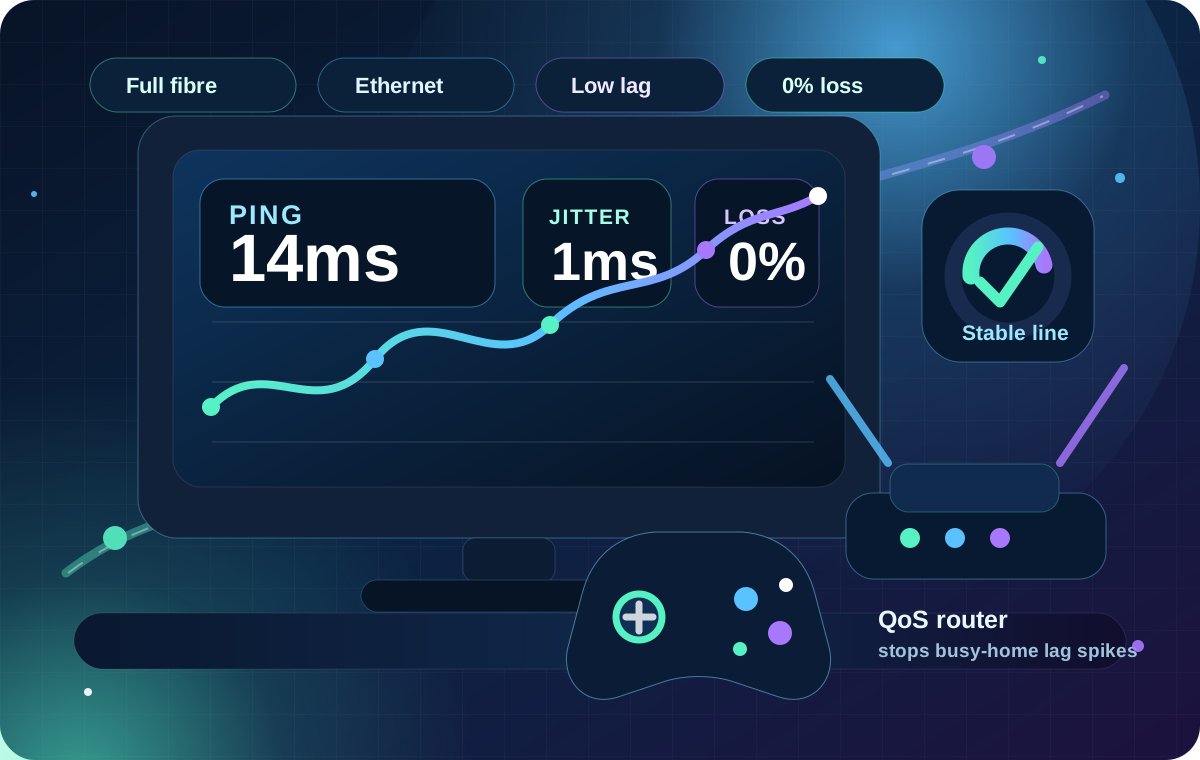
Check DealThe best broadband for gaming in the UK is not just the fastest download package. Low ping, low jitter, 0% packet loss, stable upload and a router that handles congestion matter more for lag.
GAMING BROADBAND GUIDE
For gaming, raw download speed only tells part of the story. A lower-priced full-fibre package with stable ping can feel better than a faster package that suffers from jitter, packet loss, Wi‑Fi drops or bufferbloat.
Quick answer
Lower latency means your inputs reach the game server faster.
Stable latency prevents random spikes, stutters and rubber-banding.
Dropped packets can cause teleporting, missed shots, freezes and disconnects.
Voice chat, livestreaming and game data need enough upstream capacity.
Check your address first
Availability varies by address. Check full fibre, cable and other fast options before comparing providers by ping, upload or router claims.
Visual availability context
Once the postcode above is complete, LinkSpeed loads the matched postcode centroid and Spring 2026 local-area coverage context. Use it to understand the local fibre picture, then run the exact-address checker before switching.
The map is local coverage context, not a house-level order guarantee. Provider footprints, wayleaves, building access and final installation checks can still change availability.
Interactive package guide
Gaming itself usually needs modest bandwidth. The bigger package requirement comes from game downloads, cloud gaming, livestreaming and what everyone else in the home is doing at the same time. Use this as a buying range, then prioritise low ping, low jitter and zero packet loss.
For two people with mixed household use, around 150 Mbps gives comfortable headroom. Ethernet is the best reference path for checking whether lag is coming from the broadband line or Wi-Fi.
Important: this calculator estimates package headroom, not game-server latency. A faster package cannot compensate for poor routing, Wi-Fi interference, packet loss or bufferbloat.
Current package examples
These are not ranked winners: they are current mainstream package examples that line up with the 300–500 Mbps range many gaming households actually need. Prices were checked against official provider pages on 30 August 2026 and can change by postcode, promotion or eligibility.
Official page shows £33.99 from 31 March 2027 and £37.99 from 31 March 2028.
Check DealOfficial page shows £34 from April 2027 and £38 from April 2028.
Check DealOfficial M350 page lists £74/month after the checked minimum-term offer; location-specific discounts can vary.
Check DealLinkSpeed does not control provider pricing. Check the final basket for setup charges, annual price changes, availability and the exact minimum term before ordering.
Original LinkSpeed evidence
The figures below use qualifying anonymous UK browser tests from the rolling 365-day dataset. This is an early evidence set, not a definitive provider league table: package, location, test device, Wi-Fi and time of day all influence a result.
Provider-data hygiene: CDN, cloud and VPN infrastructure identities such as Cloudflare, Fastly and Amazon are excluded from the consumer-provider table, chart and insight cards because an anonymous browser test can occasionally resolve to an intermediary network rather than the household ISP.
| Provider shown | Sample | Median ping | Median jitter | Median download |
|---|---|---|---|---|
| Community Fibre | 2 | 10.3 ms | 4.8 ms | 871.4 Mbps |
| Hyperoptic | 1 | 12.2 ms | 0.8 ms | 928.2 Mbps |
| Gigaclear | 2 | 12.2 ms | 9.5 ms | 616.8 Mbps |
| Sky | 11 | 13.1 ms | 2.5 ms | 333.5 Mbps |
| toob | 2 | 13.1 ms | 46.1 ms | 170.4 Mbps |
| C.C.S. (leeds) LTD | 1 | 14.4 ms | 12.1 ms | 95.8 Mbps |
| TalkTalk | 42 | 15.0 ms | 4.3 ms | 942.7 Mbps |
| AllPoints Fibre Limited | 12 | 17.1 ms | 1.9 ms | 928.1 Mbps |
| Zen Internet Ltd | 9 | 17.1 ms | 2.3 ms | 259.0 Mbps |
| Gamma Telecom Holdings Ltd | 1 | 17.2 ms | 2.6 ms | 14.4 Mbps |
| Aquiss | 1 | 18.0 ms | 3.6 ms | 631.4 Mbps |
| Unchained ISP Limited | 5 | 19.0 ms | 2.6 ms | 930.4 Mbps |
| YouFibre | 8 | 19.8 ms | 11.6 ms | 457.4 Mbps |
| brsk | 3 | 20.9 ms | 25.0 ms | 195.8 Mbps |
| Virgin Media | 37 | 22.9 ms | 11.9 ms | 9.6 Mbps |
| BT | 30 | 27.0 ms | 43.8 ms | 66.2 Mbps |
| FibreNest | 2 | 27.3 ms | 16.5 ms | 321.5 Mbps |
| Hutchison 3G UK Limited | 5 | 33.0 ms | 21.0 ms | 472.0 Mbps |
| Clouvider Limited | 2 | 36.3 ms | 9.7 ms | 51.3 Mbps |
| Vodafone | 19 | 41.2 ms | 70.1 ms | 87.6 Mbps |
| Telefonica UK Limited | 1 | 57.7 ms | 26.8 ms | 15.2 Mbps |
This visual is a view of the same early sample shown in the table above, not a national provider ranking. Different packages, locations, devices, Wi-Fi conditions and times of day affect the result.
Quick-glance provider evidence
Interpretation: these cards summarise the current rolling dataset, not a national provider league table. Package, access network, geography, test device, Wi-Fi and time of day all affect results.
Compare connection types
Availability at your exact address matters more than a national ranking. The best gaming connection is usually the one that gives you consistently low latency and stable packet delivery where you live.
| Connection type | Gaming strengths | Watch out for | Best fit |
|---|---|---|---|
| Full fibre | Stable latency, high capacity and strong upload options. Some altnets offer symmetrical tiers, and Openreach has a symmetric 1 Gbps wholesale product in certain Project Gigabit locations. | Most residential Openreach packages remain asymmetric, and the 2026 XGS-PON expansion does not make symmetrical retail speeds universal. Availability varies by street and provider. | Most gamers where available. |
| Cable broadband | Fast downloads and wide high-speed availability in many areas. | Upload ratios, local congestion and router/Wi‑Fi performance can affect experience. | Homes needing high download where cable is the fastest option. |
| Part-fibre / FTTC | Can be usable for gaming if the line is stable and latency is low. | Lower upload and speed can be limiting for busy homes or streaming. | Areas without full fibre or cable. |
| 5G home broadband | Can be fast and flexible with a strong signal. | Latency, jitter and packet loss can vary with signal, mast load and router position. | Homes with excellent 5G signal or limited fixed-line options. |
| Satellite | Useful where other options are unavailable. | Latency can be higher or more variable depending on service and conditions. | Remote areas with no stable fixed-line or 5G option. |
Diagnose before switching
Start with Ethernet. The pattern between wired and Wi-Fi results is more useful than changing provider blindly.
Wi-Fi bad, Ethernet good: fix the home network. Ethernet bad across devices and times: investigate the line, routing, congestion or provider.
Local setup likely
Network / ISP investigation
Router and congestion control
A gaming router can help if your current router struggles when the connection is busy. Features such as QoS, SQM, device priority, strong Ethernet ports and better Wi‑Fi can reduce lag spikes, especially in busy homes.
A gaming router will not fix every issue. It cannot make a poor broadband line stable, it cannot overcome a distant game server, and it may not help if the real problem is weak Wi‑Fi signal in the gaming room.
Hardware examples after testing
OpenWrt-based route with two 2.5GbE ports and support for configurable CAKE/FQ-CoDel-style queue control. Best considered when loaded-latency testing proves queueing is the problem.
Good fit: Openreach FTTP and altnets where the ISP permits your own Ethernet-WAN router.Wi-Fi 7 with five 2.5GbE ports. This is the throughput-and-Wi-Fi route rather than an SQM-first recommendation, useful when the ISP hub or 1GbE ports are the proven bottleneck.
Virgin Media Hub 3, 4 and 5 can use modem mode with a separate router; Hub 5x currently cannot.A gaming-focused mesh route for homes where Ethernet is stable but wireless coverage/backhaul is the weak link. Treat gaming QoS as traffic management, not a substitute for true SQM when bufferbloat is severe.
Best fit: larger homes where the diagnosed problem is wireless coverage rather than the broadband line.The buying guides contain Amazon affiliate links. LinkSpeed may earn from qualifying purchases at no extra cost to you.
Advertisement · Affiliate
A VPN is not a general gaming-latency fix and usually adds another hop. If Ethernet, packet loss and loaded-latency tests are clean but one game or server region still takes a poor route, comparing the same destination through a nearby VPN exit can be a useful controlled test.
Test it both ways: use the same device, game region and time window with the VPN off and on. Keep it only if the route improves consistently.
Jargon buster
Open a term when you need it. These definitions keep the technical detail on the page without forcing every reader through the same explanation repeatedly.
Round-trip delay between your device and a server, measured in milliseconds. For a nearby UK game or test server, under 30 ms is a strong target, although geography and routing still matter.
Variation in latency from one measurement to the next. Aim for under 5 ms where possible; higher or erratic jitter can feel like random stutters even when average ping looks acceptable.
Data that fails to reach its destination. The gaming target is 0% packet loss; repeated loss can cause rubber-banding, missed inputs, voice-chat breakup and disconnects.
Your latency while the connection is busy downloading or uploading. Keep it as close to idle latency as practical; a large jump under load exposes queueing or bufferbloat that an idle ping test can miss.
Excess delay caused when router or network queues fill under load. SQM or effective queue management can reduce it.
Quality of Service: router rules that prioritise or manage traffic so one device or transfer is less likely to overwhelm the connection.
Smart Queue Management actively controls queues and can keep latency steadier when the home is busy.
Carrier-grade NAT shares public IPv4 addresses between customers. Normal gaming usually works, but inbound hosting, port forwarding or strict-NAT situations can be affected.
The best broadband for gaming is usually a stable full-fibre connection with low ping, low jitter, no packet loss, good upload, and a router that controls congestion. Local network availability matters more than national brand ranking.
Under 30 ms is excellent, 30 to 60 ms is usually good, 60 to 100 ms is playable for many games, and above 100 ms can feel delayed.
Full fibre is often a strong gaming option because it can offer stable latency, high capacity and better upload options. Router quality, Ethernet and server distance still matter.
5G broadband can work well where the signal is strong and stable, but latency can vary more than a good wired full-fibre connection. Test ping, jitter and packet loss before relying on it for competitive gaming.
A gaming router can reduce lag spikes if it has good QoS or SQM and your current router struggles under load. It will not fix a poor broadband line, distant game server or weak Wi‑Fi by itself.
Most games do not need huge download speed while playing. Faster download mainly helps with updates and installs. For gameplay, ping, jitter, packet loss and upload stability are usually more important.
Start by switching to a wired Ethernet connection. If packet loss persists on wired tests, check your router load, run a bufferbloat test, and look for peak-time network congestion. Ongoing wired packet loss indicates an issue with your line, router, or provider.
A standard voice chat setup requires a modest 2–5 Mbps upload baseline. However, if you are livestreaming to Twitch or YouTube at 1080p/60fps, look for a package providing at least 10–15 Mbps of stable upstream overhead.
Compare every option
Return to the main comparison hub to check provider, full fibre, streaming, working-from-home, reliability and contract-cost guides in one place.