Upload saturation
Photo backups, CCTV uploads and cloud sync can fill the upstream side of an asymmetrical line. This is one of the most common reasons a “fast” package feels unstable.
Work out the right broadband speed from simultaneous usage, upload headroom, 4K streams, video calls, game downloads, cloud backups, Wi‑Fi coverage and bufferbloat under load.
Broadband speed requirement guide
The right speed is the package that lets your household stream, work, upload, download and game at the same time without filling the line and causing bufferbloat. Download speed matters, but upload headroom and Wi‑Fi delivery decide how the connection feels.
Quick answer
Most single users are comfortable on 50–150 Mbps, many families should target 150–500 Mbps, and very busy homes should consider 500 Mbps to gigabit. The real rule is concurrency: add up simultaneous streams, calls, downloads and uploads, then leave spare headroom so the line is not running at 100%.
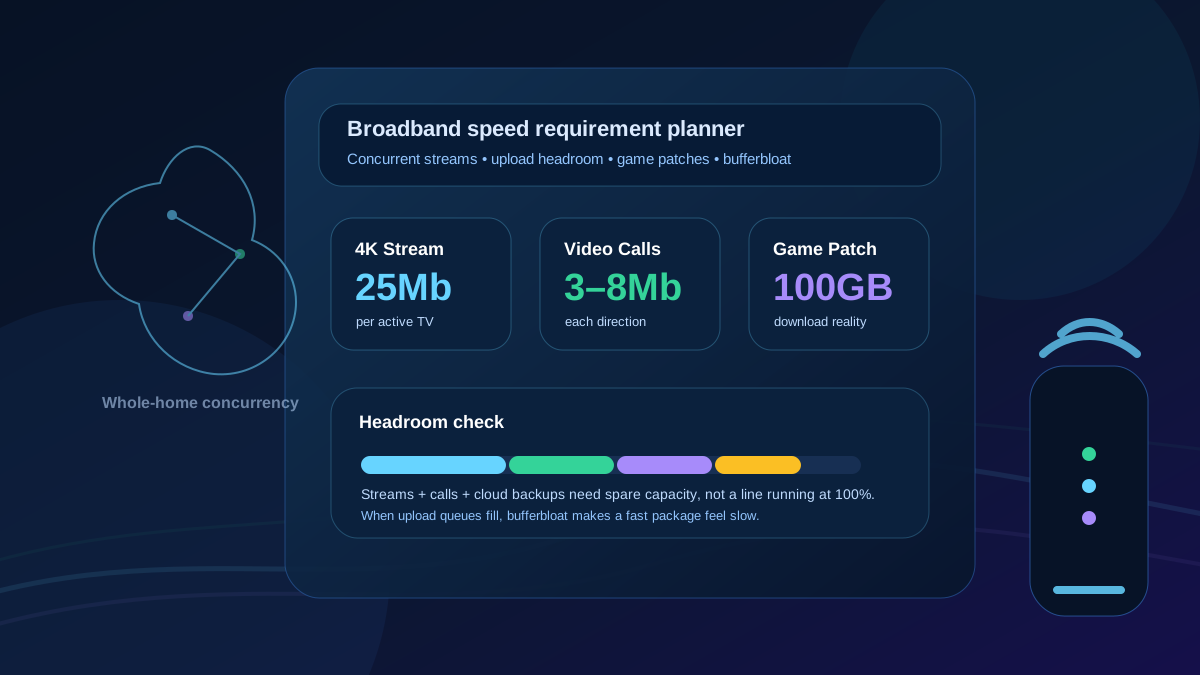
A 100 Mbps line can be fine for one or two people, but four 4K streams can consume around 100 Mbps before any game updates, video calls, cloud backups or smart-home uploads are counted. That is why a technically accurate recommendation must include upload, bufferbloat and Wi‑Fi delivery, not just a generic speed tier.
Concurrency planner
Use this as a planning table. The safe package is usually the one that can handle the busy hour with 25–50% spare capacity.
| Household pattern | Typical simultaneous load | Suggested download tier | Upload target | What actually bottlenecks first |
|---|---|---|---|---|
| Single light user | Browsing, email, one HD stream, app updates. | 50 Mbps is comfortable | 5–10 Mbps | Wi‑Fi placement or old devices, not the package speed. |
| Single heavy user | 4K streaming, large downloads, cloud files, gaming patches. | 150–300 Mbps | 20–50 Mbps | Download time for large files and upload queueing during cloud sync. |
| Couple working from home | Two Teams/Zoom calls, VPN, browsing, cloud docs, smart devices. | 150–300 Mbps | 30–100 Mbps | Upload headroom, jitter and loaded latency during calls. |
| Family with multiple 4K streams | Two to four 4K streams, phones, consoles, browsing and updates. | 300–500 Mbps | 50 Mbps+ | Four 4K streams can eat roughly 100 Mbps raw; updates and Wi‑Fi need extra headroom. |
| Gaming household | Online play plus 100GB+ patches, console updates, voice chat and streaming. | 300–900 Mbps | 30–100 Mbps | Game patch download time, upload saturation and router queue management. |
| Creator / cloud-heavy home | 4K project uploads, cloud backups, NAS, video calls, remote access. | 500 Mbps–gigabit | 100 Mbps+ or symmetrical | Asymmetrical upload profiles and long-running cloud uploads. |
| Security camera / smart-home heavy | Multiple cloud cameras, video doorbells, smart displays and remote viewing. | 150–500 Mbps | 50–100 Mbps+ | Continuous upload traffic, especially with 2K/4K cameras and cloud recording. |
Download reality
Large downloads are where faster packages become obvious. These are approximate ideal download times before Wi‑Fi overhead, server limits and household use are included.
| File / task | 50 Mbps | 150 Mbps | 300 Mbps | 500 Mbps | 900 Mbps |
|---|---|---|---|---|---|
| 10GB film / project file | ~27 min | ~9 min | ~4.5 min | ~2.7 min | ~1.5 min |
| 50GB 4K video project | ~2 h 13 min | ~44 min | ~22 min | ~13 min | ~7 min |
| 100GB game patch | ~4 h 27 min | ~1 h 29 min | ~44 min | ~27 min | ~15 min |
| 250GB game library restore | ~11 h 7 min | ~3 h 42 min | ~1 h 51 min | ~1 h 7 min | ~37 min |
Reality check: game platforms, cloud storage providers and Wi‑Fi may not deliver the full line rate. A 900 Mbps broadband package does not guarantee every download server will send data at 900 Mbps.
Upload and symmetry
Many UK packages advertise the download figure loudly and hide the upload figure in smaller print. That matters because video calls, cloud backups, security cameras, livestreaming, file sharing and remote work all use upload.
| Package shape | Example profile | Best for | Risk under load |
|---|---|---|---|
| Asymmetrical FTTP / cable | 500 Mbps down / 50 Mbps up | Streaming, browsing, downloads and normal family use. | Cloud backups or cameras can saturate upload and trigger bufferbloat even while download looks fast. |
| Higher-upload full fibre | 900 Mbps down / 100–110 Mbps up | Busy homes, multiple calls, gaming, smart cameras and regular file uploads. | Still needs router queue management if uploads are allowed to run uncapped. |
| Symmetrical altnet full fibre | 500/500 Mbps or 1Gbps/1Gbps | Creators, home labs, remote workers, large backups and file sharing. | Wi‑Fi, 1GbE ports or slow cloud services may become the bottleneck instead. |
Loaded performance
Bufferbloat happens when the router or access network queues too much traffic during uploads or downloads. The speed test can still look excellent, but video calls stutter, games lag and remote sessions feel delayed because packets wait in a queue.
Photo backups, CCTV uploads and cloud sync can fill the upstream side of an asymmetrical line. This is one of the most common reasons a “fast” package feels unstable.
Each 4K HDR stream can need around 25 Mbps. Four streams can consume 100 Mbps before any downloads or smart devices are counted.
Active gameplay uses little bandwidth, but modern game updates are huge. Choose speed for download time and headroom, then use latency tests for match quality.
ISPs share capacity across networks. Good providers over-provision enough backhaul so peak-time contention does not crush evening throughput.
Evidence first
Use this workflow before paying for a bigger package. It separates broadband speed from Wi‑Fi, upload and router queue problems.
Run the LinkSpeed broadband speed test beside the router. If Ethernet is slow, the package or line is likely involved.
Run the LinkSpeed bufferbloat test while someone streams or uploads. Large spikes mean you need better queue control, upload headroom or both.
Count simultaneous 4K streams, video calls, cloud backups, game downloads and camera uploads. Size the package for this peak, not for quiet browsing.
Use the LinkSpeed broadband availability checker to see whether faster FTTP, cable or altnet options are realistic at your address.
Package decision
Fine for a light user or small household with HD streaming and browsing. Not ideal for multiple 4K streams or frequent large downloads.
A strong baseline for many homes. Enough for several normal tasks, but heavy 4K streaming or cloud uploads need care.
The practical sweet spot for many families with multiple streams, video calls, consoles and regular downloads.
Useful for very busy homes, large game libraries, creators, rapid downloads and future headroom, provided your router and Wi‑Fi can deliver it.
Useful next steps
Yes for many homes, especially with one or two video calls. The bigger question is upload speed and loaded latency. If cloud backups, CCTV uploads or another call saturate the upload side, a 150 Mbps line can still lag.
That usually points to bufferbloat, weak Wi‑Fi, peak-time contention, saturated upload, router queueing or a poor route to the service. A high download result does not guarantee low latency under load.
A family often sits in the 150–500 Mbps range, but the right tier depends on simultaneous use. Four 4K streams can consume around 100 Mbps before phones, laptops, consoles, calls, backups and Wi‑Fi overhead are included.
Not for active gameplay. Gaming traffic is usually light, but large patches and full-game downloads can be 100GB or more. Gigabit helps with download time and household headroom; ping and loaded latency decide match responsiveness.
Yes. Video calls, photo backups, smart cameras, file sharing, livestreaming and remote work all use upload. A low-upload line can feel unstable even when download speed is high.
Not automatically. Buy the tier that solves your bottleneck. If Ethernet is already fast but one room is slow, spend effort on router placement, mesh or Ethernet backhaul before paying for more Mbps.