Measure Ping, Jitter and Failed Requests
Run the live test to measure browser-to-server delay, variation between samples and failed HTTPS requests. Use the full guide only when you need a deeper explanation of the result.

How are you testing today?
Choose the connection used by this device. The measurement method stays the same; this only tailors the diagnosis.
Before You Start
Prepare for a useful result- Pause downloads and backups.
- Disconnect VPNs and proxies.
- Compare Wi-Fi with Ethernet.
Test destination
linkspeed.co.uk
Location: Worcester, UK
Fixed endpoint
Accuracy: This is an HTTPS latency estimate to the LinkSpeed endpoint, not an ICMP ping to a game server or broadband provider. To test another destination, use your device's ping command.
Anonymous measurement: Results may contribute to LinkSpeed's UK ping dataset. We don't store your IP address; only broad provider, city and connection type may be retained.
Realtime data
- Min
- --
- Avg
- --
- Max
- --
- Median
- --
- Jitter
- --
ms avg
Lowest measured ping during the test.
Variation between ping samples during the test.
Percentage of browser requests that failed during the test.
Run the test to rate your connection and highlight the matching grade band below.
Poor latency result?
Check broadband availability for lower-latency fibre or provider options in your area.
Check broadband availability
Recommended next read
Run the ping test to unlock a targeted fix
Your result will point you to the most useful latency, Wi-Fi or router settings guide.
Open Internet Quality Guide
Browser response time
0 / 32 samples
Latency
Running average
Failed request
Waiting for samples...
Lower and steadier is better
How this test works
32 timed browser requests
LinkSpeed times each same-site HTTPS request, then calculates average ping, best ping, jitter and failed requests.
RequestTimeRepeatRate
Understand the score
Ping Grade Bands
Lower ping is better. As a rough guide, nearby fibre or cable connections may return around 5–20 ms, local Wi‑Fi often sits around 20–30 ms, and mobile broadband can exceed 100 ms when signal or mast load is poor. Tests from Scotland, Wales or Northern Ireland may be around 5–15 ms higher because the endpoint is in Worcester.
UK connection context
How fixed broadband technologies compared in Ofcom testing
Use these figures as context rather than a promise. Your result to the Worcester test endpoint can change with Wi-Fi, routing, congestion and distance.
| Connection type | Ofcom measured median range | What it suggests |
|---|---|---|
| Full fibre (FTTP) Lowest | 4.9–7.3 ms | Lowest latency in the fixed-line package sample. |
| Fibre to the cabinet (FTTC) | 10.1–12.5 ms | Usually higher than full fibre because the final connection still uses copper. |
| Cable broadband | 12.5–14.8 ms | Fast download speeds, but the measured latency was above full fibre. |
| ADSL2+ | 24.2 ms | Legacy copper recorded the highest fixed-line latency in the sample. |
| 4G/5G home broadband | Variable | Test locally because signal, mast utilisation and backhaul can materially change latency. |
Fixed-line figures are from Ofcom's March 2023 UK Home Broadband Performance package sample and are not provider guarantees. View the Ofcom report.
Poor result over Ethernet?
Check whether lower-latency full fibre and alternative networks are available at your postcode.
Check Full Fibre Availability
Compare Full Fibre Broadband
Recommended tests
Choose the next test after ping
Use packet loss for dropped requests, bufferbloat for lag under load and loaded latency to compare quiet and busy responsiveness.
Read the result
Understand the result and when to test for bufferbloat
This test directly reports ping, jitter and failed browser requests while the connection is otherwise idle. Bufferbloat needs a separate loaded-latency test.
 Ping
Ping Jitter
 Failed requests
 Bufferbloat
Hardware route
Better Hardware to Fix High Ping
A new router or mesh system is worth considering when high ping, jitter or failed requests are much worse over Wi‑Fi but the Ethernet result is stable. New hardware cannot fix distant servers or poor provider routing, so compare QoS or SQM controls, wired ports, ISP compatibility and coverage before buying.
Compare UK Routers & Mesh Kits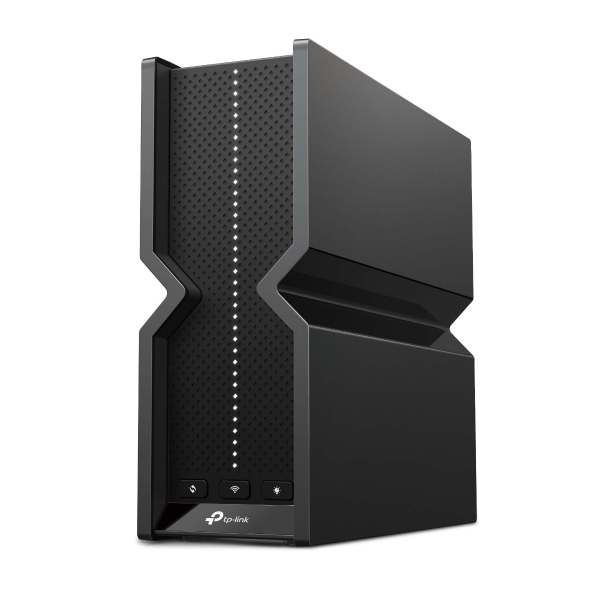 Router route
Standalone router
Compare QoS or SQM controls, wired ports and multi-gig compatibility.
Router route
Standalone router
Compare QoS or SQM controls, wired ports and multi-gig compatibility.
 Value route
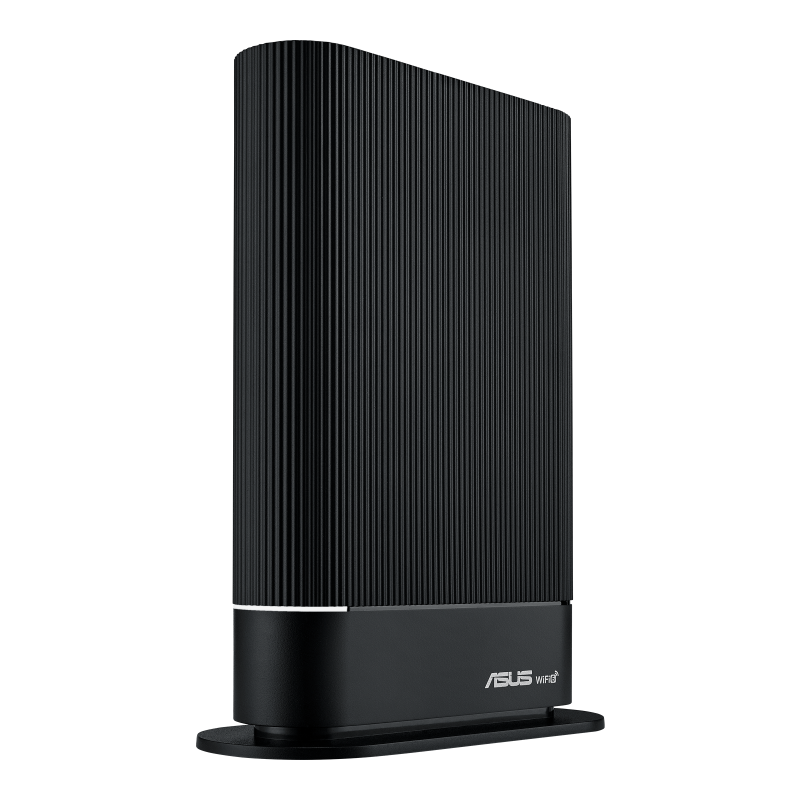
Replace the ISP hub
Check QoS features, modem requirements and ISP compatibility first.
Value route
Replace the ISP hub
Check QoS features, modem requirements and ISP compatibility first.
 Coverage route
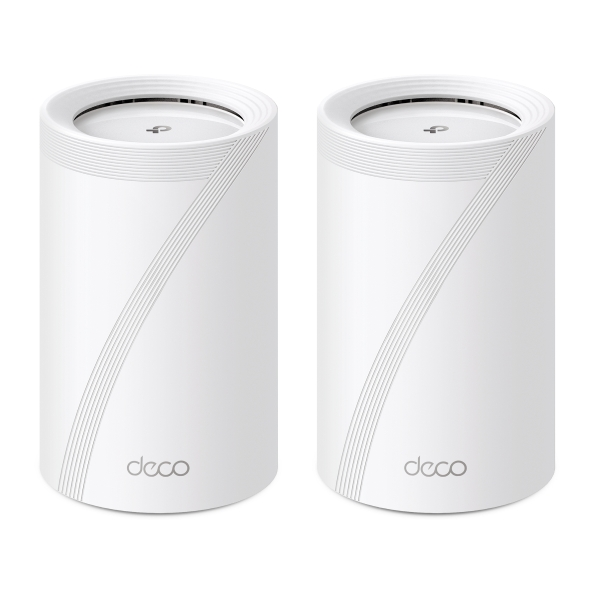
Whole-home mesh
Useful when weak or inconsistent Wi-Fi coverage is also increasing latency.
Coverage route
Whole-home mesh
Useful when weak or inconsistent Wi-Fi coverage is also increasing latency.
Affiliate disclosure: As an Amazon Associate, LinkSpeed earns from qualifying purchases.
Quick diagnosis
High ping causes and what to do next
Match the symptom to the most useful next check instead of changing several things at once.
Weak signal or interference
Test beside the router, then in the room where the problem happens. A large gap points towards local wireless conditions rather than the broadband line.
Uploads or bufferbloat
If ping rises while backups, uploads or downloads are active, pause the traffic and run a loaded-latency test before changing hardware.
VPN or distant server
Disconnect the VPN and choose a closer game region or test server. Distance and routing can add delay even when the home connection is healthy.
Routing or congestion
Compare wired results at different times. Repeated high latency over Ethernet is stronger evidence of congestion or a provider-route issue.
Detailed answers
Ping Test Guide
Use these answers to understand how ping works, interpret the measurements and troubleshoot failed or unstable tests.
What is ping?
Ping describes the delay between sending a request and receiving the reply. It is shown in milliseconds. Lower values make online games, calls, remote desktops and other interactive services feel more immediate. Read the full What Is Ping guide for a deeper explanation.
How does the LinkSpeed browser ping test work?
Browsers cannot send raw ICMP packets, so LinkSpeed times 32 small same-site HTTPS requests. The result includes average ping, best ping, jitter and the percentage of browser requests that failed. It does not load the connection, so it cannot diagnose bufferbloat.
Which endpoint does this test use?
The destination is linkspeed.co.uk in Worcester, UK. The result describes the route from your browser to LinkSpeed, not the route to a specific game server. Tests from Scotland, Wales or Northern Ireland may be around 5–15 ms higher because of the longer route to Worcester.
Can I change the destination?
Not reliably inside a normal browser without separate compatible test endpoints. Free third-party targets may block browser requests, cache responses or use changing edge locations. To test a specific server at no cost, use your operating system's ping command with its hostname or IP address.
How should I read the statistics?
Average ping shows normal delay, best ping shows the cleanest sample, jitter shows how much delay varies and request loss shows how many browser requests did not complete. High failed-request rates more often indicate local Wi-Fi dropouts or severe congestion than a limitation of the broadband technology itself.
What is a good ping for gaming?
Under 20 ms is excellent and 20–50 ms is good for most online games. Around 50–80 ms is normally playable, while values above 100 ms can create noticeable delay. The route to the actual game server may be different from the LinkSpeed result.
How do I lower gaming ping at home?
Compare Ethernet with Wi-Fi, pause downloads and cloud uploads, disconnect VPNs and choose a nearby game region. If Ethernet is stable but Wi-Fi adds delay or failed requests, better router or mesh hardware may help. If ping rises only while the line is busy, run the bufferbloat test and consider effective SQM or QoS.
Useful next check
Use the ping result to choose the next test
High idle ping, unstable timing and latency that rises only under load point to different causes. Match the result to jitter, packet loss or bufferbloat before changing provider.