Good use
A bedroom, hallway or corner room that is just outside strong router coverage.
A Wi‑Fi extender or booster can fix a small weak spot, but poor placement can halve real-world throughput and make the connection feel worse.
Home network guide
Wi‑Fi extenders and boosters can help one nearby weak room, but they need a strong source signal. Placed badly, they repeat a weak connection and can make real-world speed feel worse.
Issue
In UK consumer terms, Wi‑Fi extender, Wi‑Fi booster and broadband booster are often used to mean the same thing: a plug-in device that receives your existing router signal and rebroadcasts it nearby.
A bedroom, hallway or corner room that is just outside strong router coverage.
Plugging the booster into a room with almost no signal and expecting it to create speed from nothing.
For several weak rooms, mesh Wi‑Fi or a wired access point is usually a cleaner solution.
🔌 Wireless Extender vs. Powerline Wi‑Fi Hybrid: pure wireless boosters pass data through the air, automatically risking a speed drop. Powerline Wi‑Fi hybrids send data through your home’s electrical ring-main copper wires instead. They handle thick brick internal walls better, but can suffer from line noise if plugged into extension leads or properties running solar inverters, smart meters and EV chargers.
Validate
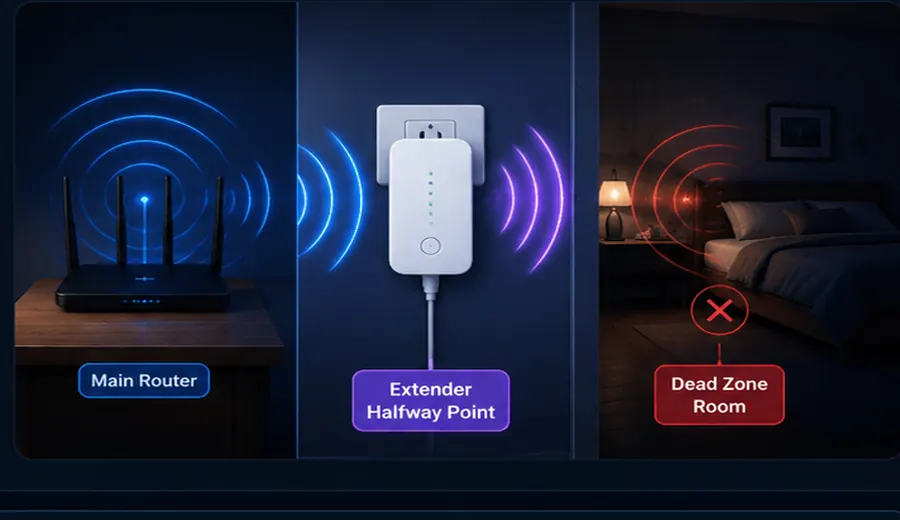
The booster must hear your router clearly before it can repeat the signal. Start halfway between the router and the weak room, then test again.
| Placement | Result | Verdict |
|---|---|---|
| Next to the router | Strong source signal but little extra coverage. | Usually pointless. |
| Halfway to the weak room | Good balance of source signal and extra coverage. | Best starting point. |
| Inside the dead zone | Weak source signal repeated poorly. | Avoid. |
Likely causes
Many standard single-band or basic dual-band extenders work in half-duplex. That means the same wireless path has to receive data from the router and then send it onward to your phone, laptop or TV.
In practice, this can cut usable Wi‑Fi throughput by around 50% before you even factor in wall loss, interference or distance. Better dual-band, tri-band, Ethernet backhaul and mesh systems can reduce the penalty, but placement still matters.
A booster can be fine when the room is only just outside strong signal.
Mesh is usually better when coverage problems affect several rooms or floors.
Ethernet or a wired access point is normally strongest where stability matters most.
Fix
This gives you the baseline result before the extender or booster is involved.
This shows how bad the dead zone is before you plug anything in.
If speed and stability improve, keep that location. If the result gets worse, move it closer to the router.
If several rooms still struggle, the home needs better coverage design rather than one repeated signal.
Test before you upgrade
Run LinkSpeed close to the router, then repeat in the weak room. If the numbers drop sharply over Wi‑Fi, placement, mesh or a Wi‑Fi booster may matter more than the broadband package.
FAQs
Standard single or dual-band wireless extenders operate in half-duplex mode. The same wireless channel must talk to your router and then rebroadcast data to your device, which can naturally reduce potential throughput by up to 50%.
Plug the booster into a wall socket roughly halfway between your main broadband router and the room with the weak signal. It requires a strong, clear source signal from the router to successfully extend coverage into a dead zone.
A standard extender repeats an existing signal and can add a speed penalty. Mesh Wi‑Fi links multiple nodes dynamically under a single network name, seamlessly routing traffic over cleaner, stronger backhaul pathways.