Distance and UK wall materials
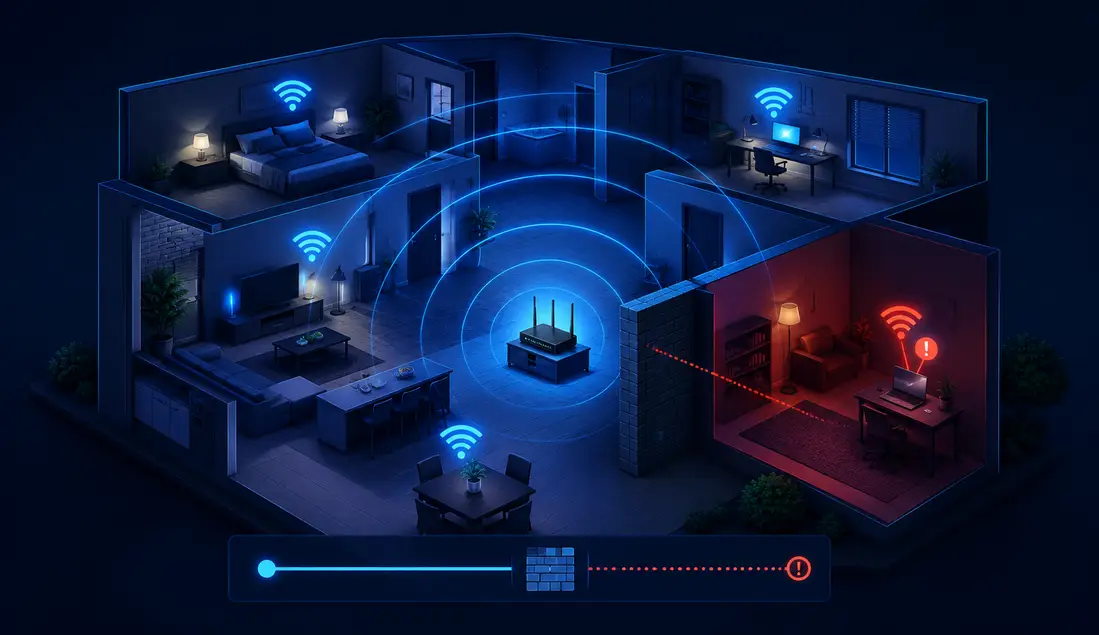
Victorian solid brick properties, 1930s semis with chimney breasts, concrete floors, steel beams and modern timber-framed new builds with foil-backed plasterboard panels can all weaken Wi‑Fi before it reaches the room.
If Wi‑Fi is fast beside the router but slow in one room, the broadband line usually is not the problem. Compare the same device in both locations, then check walls, interference, Wi‑Fi band, router position and mesh or extender placement.
Dead zone troubleshooting
Use room-by-room testing to find out whether the slow room is caused by walls, distance, interference, router placement or one weak device.
Fast diagnosis
Use the table first. The cause, validation step and fix are combined here so the page does not repeat separate Issue, Validate and Fix sections.
| What you see | Likely bottleneck | Proof test | Matched fix |
|---|---|---|---|
| Fast beside the router, slow in one room | Coverage, wall material, router placement or a blocked signal path. | Run the same speed test beside the router and in the slow room. Then compare the percentage drop. | Move the router into open air, improve line of sight, or use a wired access point, correctly placed mesh node or extender. |
| Only one device is slow in that room | Device Wi‑Fi band, driver, power saving, antenna quality or older Wi‑Fi hardware. | Place a second modern phone or laptop beside the original device and repeat the same test. | Update drivers, forget and reconnect to Wi‑Fi, toggle Wi‑Fi or Airplane Mode, check power saving, or use Ethernet for that device. |
| Speed drops after one wall, chimney, floor or extension | High signal attenuation from solid brick, concrete, pipework, metal, mirrors or foil-backed insulation. | Open doors, move a few metres and compare dBm, speed, jitter and packet loss before buying hardware. | Place a mesh node before the barrier, add a wired access point on the far side, reposition the router or use Ethernet where reliability matters. |
| Extender shows bars but the room is still slow | The extender or mesh node is repeating a weak backhaul signal. | Move the node halfway back towards the router and retest the same device in the slow room. | Keep the relay in the halfway zone, not inside the dead zone. Use Ethernet backhaul for thick UK walls where possible. |
| Every room is slow, including near the router | This is no longer a single-room dead-zone fault. | Run a wired baseline near the router before changing Wi‑Fi hardware. | Open our comprehensive guide to improving whole-home Wi‑Fi speed, or use the wired Ethernet line-rate baseline workflow to trace incoming faults. |
Interactive check
Enter the router-room result and the slow-room result. Then say whether a second device behaves the same way.
Reference while testing
Use these supporting checks only when the matrix points to the room path, wall material, interference, device band or relay placement.
Victorian solid brick properties, 1930s semis with chimney breasts, concrete floors, steel beams and modern timber-framed new builds with foil-backed plasterboard panels can all weaken Wi‑Fi before it reaches the room.
Neighbouring Wi‑Fi, baby monitors, microwave ovens, Bluetooth devices, mirrors, TVs and dense electronics can add retries, jitter or sudden stalls even when the signal icon still looks acceptable.
An older laptop, phone, console or smart TV may have weaker antennas, older Wi‑Fi standards or power-saving settings that struggle sooner than newer devices in the exact same room.
A router hidden behind a TV, low on the floor or near thick walls can create one dead zone. Boosters and mesh nodes must receive a clean backhaul signal before they can relay one.
For one dead zone, the extender or mesh node should sit where it still receives a clean source signal from the main router, not inside the slow room.

One common cause of single-room speed drops is how your router handles wireless frequencies. Modern broadband hubs often use band steering to move devices between radio bands.
The problem: a phone or laptop can fall back to 2.4GHz in the weak room, then remain stuck there even after you move closer to the router.
Wi‑Fi 6E / Wi‑Fi 7 at 6GHz: 6GHz can be extremely fast close to the router, but it usually loses strength through walls and floors faster than 5GHz. If a 6GHz-capable device slows sharply in the problem room, compare 5GHz and 2.4GHz performance and improve router, access-point or mesh placement before blaming the broadband line.
If your phone stays stuck on slow 2.4GHz Wi‑Fi after leaving a weak room, toggle Airplane Mode on and off for 5 seconds. This forces the wireless radio to drop the old connection and rescan.
Use a Wi‑Fi analyser on Android or a laptop Wi‑Fi utility to compare signal strength near the router and in the weak room. Lower negative numbers are stronger.
| Signal Strength (dBm) | Real-World Status | Best Corrective Action |
|---|---|---|
| -30 to -50 dBm | Excellent | No coverage fix needed; look at device, congestion or the wired baseline if speeds still look wrong. |
| -60 to -67 dBm | Good | Usually enough for smooth streaming, calls and gaming if jitter and packet loss are low. |
| -70 to -80 dBm | Weak Connection | Expect buffering or unstable calls; improve router placement, mesh backhaul, or access point location. |
| -90 dBm or worse | Dead zone | Wi‑Fi is close to unusable; use mesh, a wired access point or Ethernet instead of chasing package speed. |
Proof checks
These steps validate the row you chose above. They are no longer a separate validation section repeating the same issue and fix wording.
This gives you a baseline result where the Wi‑Fi signal should be strongest. If this is poor too, check the router, broadband line or device before focusing on one room.
A sharp speed drop points towards coverage, walls, interference, band switching or room layout rather than the broadband provider.
If one device is poor but another is fine, update drivers, forget and reconnect to Wi‑Fi, or check whether the original device is stuck on a weaker band.
If small position changes improve the result, the signal path is likely blocked by wall material, furniture, pipework, appliances or room layout.
Move any relay device closer to the router until it has a clean backhaul signal, then retest the weak room.
Test before changing gear
Run LinkSpeed near the router, then repeat in the room with the issue. A sharp drop over Wi‑Fi points to coverage, interference, walls or device limits rather than the broadband line itself.
Focused answers
Use these answers after comparing the router-room baseline with the slow-room result.
A single slow room is usually caused by distance from the router, dense UK building materials, interference, band steering, extender placement or one weak device rather than the broadband provider.
Yes, but only if the extender is placed where it still receives a strong signal from the router. Putting it inside the dead zone often repeats a weak connection and can add latency.
Around -70 dBm to -80 dBm is usually weak enough to cause buffering, unstable calls or slower speeds. Around -90 dBm is close to unusable and normally needs a placement, mesh, access point or Ethernet fix.
Buy mesh only after testing proves the room is genuinely out of range or blocked by materials. A wired access point, router relocation or correctly placed extender may be better for a single small dead spot.
No, not if speeds are strong beside the router and drop only in one room. That pattern points to indoor Wi‑Fi coverage, device capability or room layout rather than the external broadband line.