Best 5G Routers UK 2026: Home and Mobile WiFi Picks

Compare 5G home routers and portable mobile Wi-Fi hardware only after checking whether the real limitation is mast congestion, weak signal, Wi-Fi coverage or the mobile plan.

Affiliate hardware guide

Which 5G Router Is Best for Home Broadband or Mobile Wi-Fi?

Compare indoor 5G home routers, 5G mesh gateways and portable mobile WiFi routers. Better hardware can improve radio reception, WiFi coverage, Ethernet options and antenna flexibility, but it cannot remove mast congestion or change the limits of your mobile plan.

Choose the closest requirement

Which 5G Router Type Do You Need?

Choose by connection type

5G router answers for UK home and mobile Wi-Fi searches

Which 5G router is best for UK home broadband?

The TP-Link Archer NX200 is the straightforward all-round home route in this guide. Choose the Deco X50-5G when the home also needs mesh coverage, or the Zyxel FWA510 when multi-gig Ethernet and external antenna flexibility matter more than simplicity.

Compare the five 5G router picks

Should I buy a portable Wi-Fi router or a 5G home router?

Choose a portable mobile WiFi router when battery operation, travel and temporary connectivity matter. Choose a mains-powered 5G home router for stronger Ethernet options, larger antennas, continuous use and better whole-home expansion.

View the portable 5G hotspot route

Do 5G routers work with any SIM?

Not automatically. Check that the router is unlocked, accepts the SIM size, supports the UK network bands and is permitted by the mobile plan. APN settings, carrier restrictions and regional hardware versions can affect compatibility.

Review the compatibility checks

Will a new 5G router improve weak signal?

It may help when the current hub has a weaker modem, poor placement or no compatible antenna ports. It will not create coverage where the network has none or remove mast congestion. Check RSRP, RSRQ and SINR before choosing hardware or an external antenna.

Match the result to a hardware route

Should I buy a 4G router or a 5G router?

Choose 5G when local coverage, the SIM plan and the expected speed justify the extra cost. A good 4G router can still be the better value where 5G is weak or unstable. Confirm performance at the intended router position rather than buying from a coverage-map estimate alone.

Test 5G latency and stability first

Check before buying

A New 5G Router Will Not Fix Every 5G Problem

Rule out the mobile network, signal quality and setup limitations before spending on replacement hardware. These four checks tell you whether a new router is likely to help.

01Connection check

Compare Ethernet and Wi-Fi

If Ethernet is also unstable, the issue may be mobile signal, mast load or the router’s cellular modem rather than its Wi-Fi.

02Radio quality

Check signal metrics

Use RSRP, RSRQ and SINR where available. Signal bars alone are too crude for choosing an antenna or replacement gateway.

03Network limitation

Expect CGNAT

Changing router usually does not remove carrier-grade NAT. Public IPv4, inbound hosting and some gaming NAT behaviour depend on the mobile network.

04Hardware fit

Verify bands and connectors

Confirm the exact regional model, network bands, SIM requirements, antenna connector type and supported frequency range.

BUYING RULEIf the connection is still poor over Ethernet, changing Wi-Fi hardware alone is unlikely to solve the real problem.
Diagnose 5G Lag First →

Fast comparison

Compare 5G Routers and Hotspots at a Glance

Swipe horizontally to view all router details →

ProductFormatWi-FiEthernetExternal antennaAmazon
TP-Link Archer NX200 Indoor home router Wi-Fi 6 AX1800 3× Gigabit 2× SMA-F View Deal
TP-Link Deco X50-5G 5G mesh gateway Wi-Fi 6 AX3000 2.5GbE capable Check version View Deal
Zyxel Nebula FWA510 Advanced indoor FWA Wi-Fi 6 AX3600 2× 2.5GbE 4× TS9 View Deal
D-Link G530 Indoor failover router Wi-Fi 6 AX3000 1× WAN + 1× LAN Check model View Deal
NETGEAR Nighthawk M6 (MR6150) Portable hotspot Wi-Fi 6 1× Gigabit 2× TS9 View Deal

Top 5 UK 5G hardware routes

Best 5G Routers for UK Home Broadband and Mobile Wi-Fi

These are different hardware classes rather than universal winners. Check the exact Amazon listing, model number, regional bands, seller and return terms before ordering.
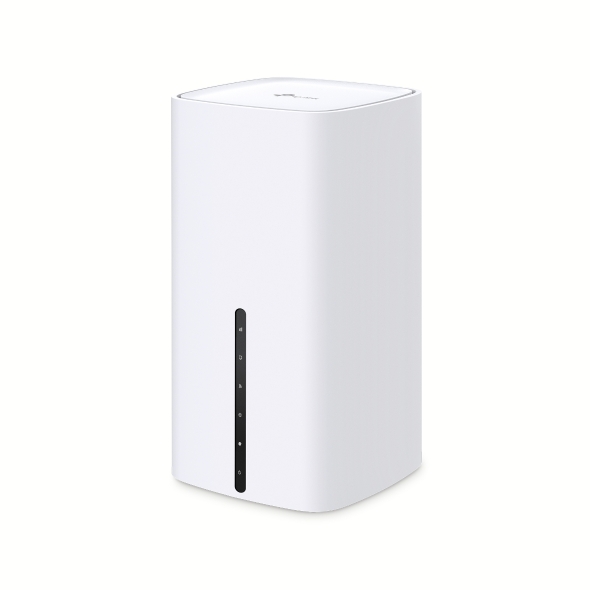
#1Best All-Round Indoor 5G Router

TP-Link Archer NX200

JandATech Lab review4.4/5

Fast, straightforward 5G home router with good Wi‑Fi 6 and useful antenna options; Gigabit-only Ethernet and price keep it below the top tier.

Independent comparison:Broadband Savvy

Best for: Straightforward home 5G broadband, holiday homes or backup connectivity where simple setup and external antenna options matter.

Why choose it

The NX200 is the clearest mainstream all-round route: insert a nano-SIM, use it as the primary 5G gateway or retain Ethernet WAN with mobile failover, and expand coverage through compatible EasyMesh hardware.

Watch out

Its Ethernet ports are Gigabit rather than 2.5GbE. Check the exact hardware version, supported UK mobile bands and whether your intended external antenna uses the correct connector and frequency range.
Official specification highlights
  • AX1800 dual-band Wi-Fi 6
  • One Gigabit WAN/LAN plus two Gigabit LAN ports
  • Two external SMA-F mobile-antenna interfaces and EasyMesh support

Independent hands-on evidence

An independent UK hands-on test on the Three network reported strong 5G download performance, low latency and solid Wi-Fi, while noting that the NX200 is not the cheapest 5G router. This is shown as independent comparison evidence alongside JandATech lab testing.

Read the Broadband Savvy hands-on NX200 review
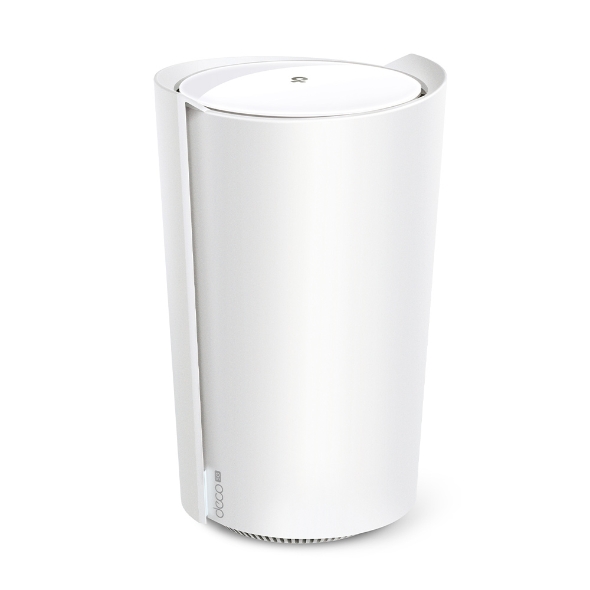
#2Best 5G Mesh Gateway

TP-Link Deco X50-5G

JandATech Lab review4.2/5

Strong 5G and Wi‑Fi 6 mesh gateway with useful 2.5GbE and easy expansion; power use and setup-security caveats temper the score.

Independent comparison:Truthful ReviewsBlacktubi

Best for: Homes that need both a SIM-based 5G gateway and broader seamless Wi-Fi coverage through additional Deco units.

Why choose it

Choose this when the mobile connection is acceptable near the best window but ordinary router Wi-Fi does not cover the property. It combines the 5G gateway and mesh controller instead of adding a separate mesh behind a supplied hub.

Watch out

A mesh system cannot repair mast congestion or poor mobile signal at the gateway. Place the 5G unit for radio quality first, then position satellite units where they still receive a strong backhaul.
Official specification highlights
  • AX3000 dual-band Wi-Fi 6
  • 2.5GbE wired connectivity
  • Seamless roaming and expansion with compatible Deco units

Independent hands-on evidence

Independent testing reported very strong Wi-Fi 6 throughput and reliable 5G/LTE performance, while also flagging setup-security and power-consumption drawbacks. This is shown as independent comparison evidence alongside JandATech lab testing.

Read the Independent Deco X50-5G performance review
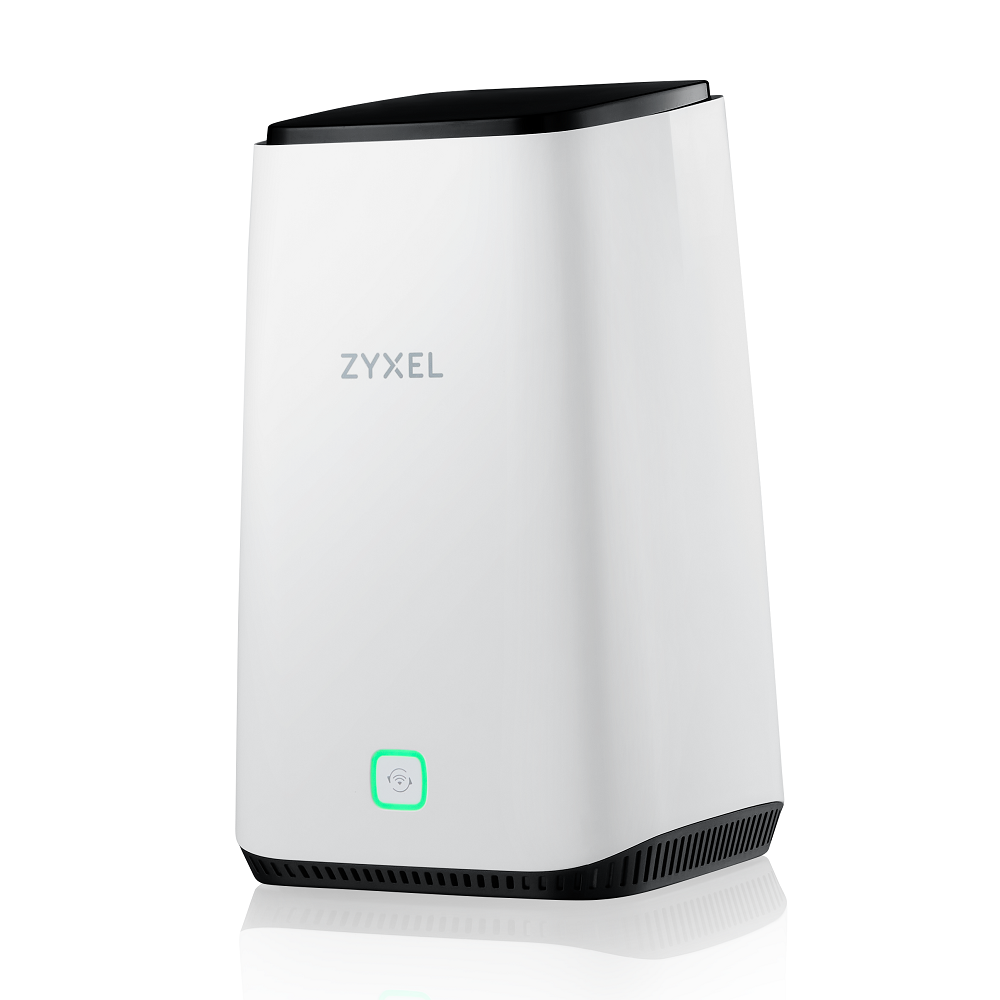
#3Best Advanced Indoor FWA Router

Zyxel Nebula FWA510

JandATech Lab review3.9/5

Excellent fixed-wireless connectivity and 2.5GbE/antenna flexibility, but its Wi‑Fi implementation and premium positioning are less convincing.

Independent comparison:TechRadarMighty Gadget

Best for: Demanding homes, home offices and weak-signal installations that need multi-gig Ethernet, external antennas or more detailed management.

Why choose it

The FWA510 is the advanced fixed-wireless route. It has more Ethernet headroom than basic 5G hubs and four TS9 connectors for installations where a correctly chosen external antenna is genuinely required.

Watch out

It is a premium and more complex option. Verify the exact carrier bands, antenna cabling losses, connector type and whether cloud-management licensing affects features you expect to use.
Official specification highlights
  • Wi-Fi 6 AX3600 for up to 64 devices
  • Two 2.5GbE interfaces
  • Four external TS9 antenna ports and WAN failover capability

Independent hands-on evidence

TechRadar found straightforward setup, useful dual 2.5GbE connectivity and external-antenna flexibility, but its hands-on testing also found Wi-Fi 6 performance constrained by the available 80 MHz channel width. This is shown as independent comparison evidence alongside JandATech lab testing.

Read the TechRadar hands-on FWA510 review
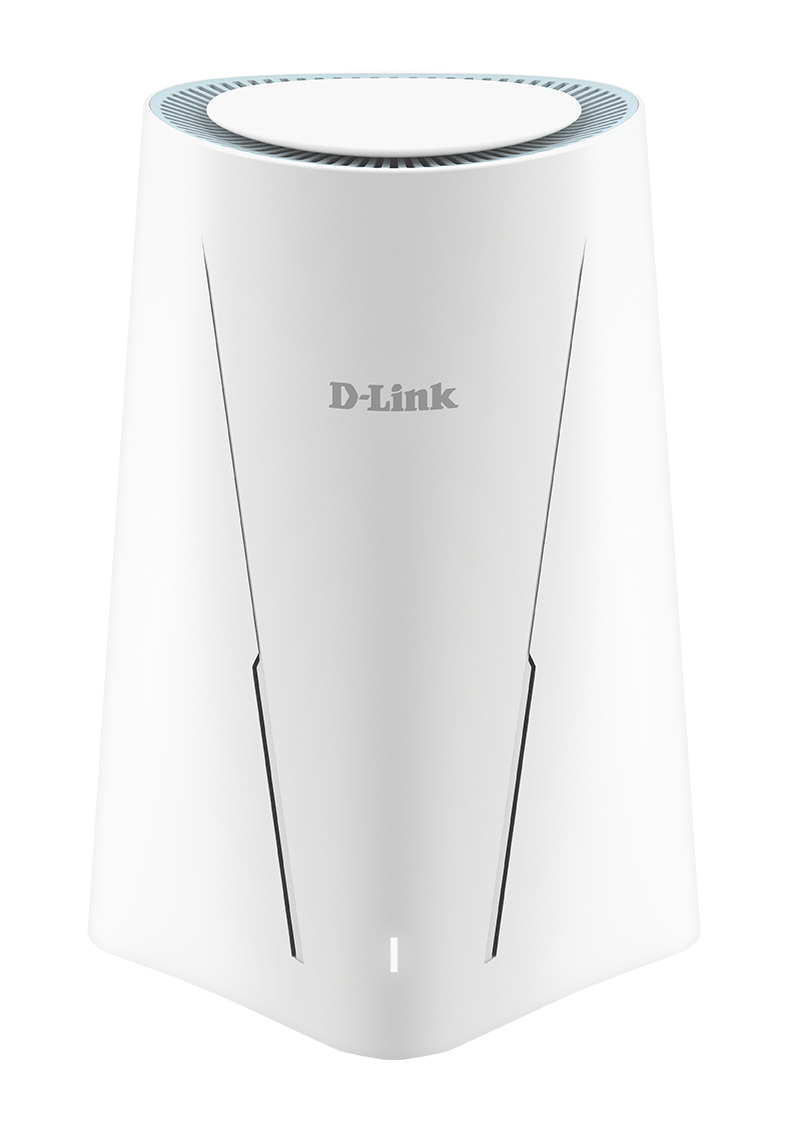
#4Best Simple 5G Failover Router

D-Link G530

JandATech Lab review4.0/5

Useful wired/5G failover design with solid Wi‑Fi 6 once configured, but setup friction, limited Ethernet ports and price reduce its broad appeal.

Independent comparison:TechRadarDong Knows Tech

Best for: Households wanting a conventional indoor 5G router that can also switch between fixed-line and mobile connectivity.

Why choose it

This is a straightforward failover-oriented route with Wi-Fi 6 and separate Gigabit WAN and LAN ports. It suits backup broadband or simpler fixed-wireless deployments where multi-gig networking is not required.

Watch out

The Gigabit wired interfaces can cap very fast local or mobile performance. Confirm UK retail availability, supported mobile bands and external-antenna requirements before purchasing.

Official specification highlights
  • 5G NSA/SA and 4G LTE support
  • AX3000 Wi-Fi 6
  • Gigabit WAN, Gigabit LAN and automatic fixed/mobile failover

Independent hands-on evidence

TechRadar rated the G530 4/5 overall, praising its wired/cellular failover and reliability once configured while flagging setup friction, limited wired connectivity and relatively high cost. This is comparison evidence alongside JandATech lab testing.

Read the TechRadar D-Link G530 review
#5Best Portable 5G Hotspot

NETGEAR Nighthawk M6 (MR6150)

JandATech Lab review4.2/5

Excellent portable 5G hotspot with easy setup, Ethernet and external antenna support; high cost and sub-6/regional limitations are the main drawbacks.

Independent comparison:Tom's Guide4G.co.uk

Best for: Travel, temporary accommodation, mobile work and backup broadband where battery operation matters more than maximum fixed-home coverage.

Why choose it

The M6 is a genuinely portable route rather than a mains-only home gateway. It can share a private 5G connection with multiple devices and provide a wired connection when required.

Watch out

It is expensive for permanent home use, and mobile-band compatibility varies by regional model. Confirm that the exact UK unit supports your network before ordering.

Official specification highlights
  • Wi-Fi 6 and up to 32 connected devices
  • Gigabit Ethernet and touchscreen management
  • Removable battery with portable operation

Independent hands-on evidence

Tom's Guide praised the M6 for simple setup, Wi-Fi 6, Ethernet and external antenna ports, while noting its high price, size and sub-6 5G limitation. This is comparison evidence alongside JandATech lab testing.

Read the Tom's Guide Nighthawk M6 review

Decision guide

Match the Test Result to the Hardware Route

5G is good by the window, poor elsewhereKeep the gateway at the strong radio location and use mesh or Ethernet for home coverage.Choose the mesh gateway route
Signal metrics stay weak indoorsConsider a model with compatible external antenna ports, but account for cable loss and correct antenna bands.Choose the antenna-ready route
The supplied hub has weak Wi-FiA better 5G gateway may help, or retain the modem and add a separate mesh only when bridge/IP passthrough is workable.Choose the indoor router route
You need internet while travellingChoose battery-powered portable hardware rather than a mains-only fixed-home gateway.Choose the portable route

How LinkSpeed chose these routes

Selection method for 5G home routers and mobile Wi-Fi hardware

Recommendation basis: All five routers in this shortlist have been tested in the JandATech lab. LinkSpeed combines those observations with UK compatibility, manufacturer specifications and independent model-specific review evidence. The displayed scores are LinkSpeed's own editorial ratings; third-party star scores are comparison evidence and are not averaged into an AggregateRating.

The shortlist separates fixed-home gateways, mesh-capable 5G routers, antenna-ready fixed-wireless hardware and portable hotspots. Manufacturer specifications are checked for UK-relevant mobile bands, SIM format, Ethernet speed, WiFi generation, antenna connectors, failover support and portability. Current price, seller, regional version and network compatibility should be verified before purchase.

Check the mobile connection firstUse signal metrics and repeat tests at different times so mast load is not mistaken for a weak router.Diagnose laggy 5G broadband
Separate radio signal from home WiFiTest over Ethernet where possible. A good wired result with poor room coverage points to WiFi or mesh placement rather than the mobile link.Improve router placement
Compare against fixed full fibre5G can be flexible and fast, but latency, CGNAT and mast congestion may make FTTP the stronger permanent connection.Compare 5G broadband with full fibre

Affiliate disclosure

As an Amazon Associate I earn from qualifying purchases. Amazon buttons on this page may use affiliate links with the LinkSpeed tracking ID. Product availability, specifications and regional variants can change, so verify the exact listing before buying.

How LinkSpeed tests and checks claims