Best UK Routers & Mesh Wi‑Fi Systems: 2026 Buying Guide
If your broadband is fast in the living room but dead upstairs, do not pay for a pricier package until you prove whether the bottleneck is coverage, router hardware, cabling or latency.
Affiliate hardware guide
Boost Your Home Wi‑Fi: Best UK Routers & Mesh Kits
Choose the route below to compare mesh systems, standalone routers and value upgrades for the problem you have already identified.
Quick diagnostic
Choose the hardware route that matches your problem
Already diagnosed the issue? Jump straight to the most relevant products.
These are upgrade routes, not one-size-fits-all winners. Choose the product class that matches your test result,
then use the Amazon button to check current price, availability and seller details.
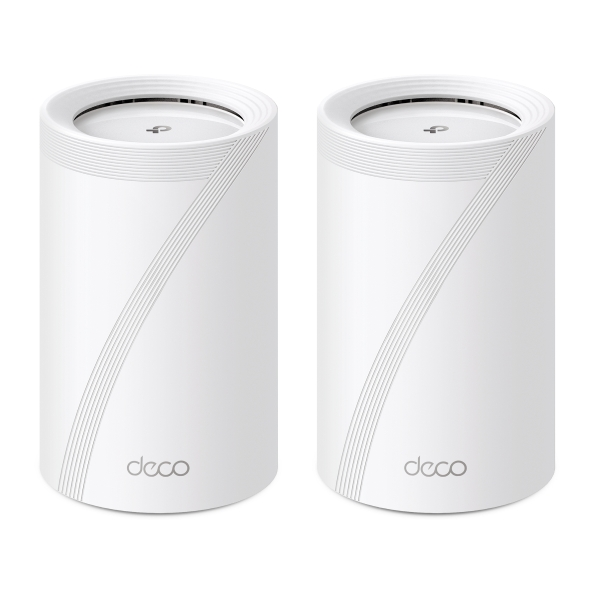
Locally cached manufacturer product image — click image to view product details on Amazon
TP-Link Deco BE65 Wi‑Fi 7 Mesh
Best for: Busy full-fibre households with multi-floor coverage issues, weak upstairs rooms and larger homes where one router is not enough.
Why Choose It
Choose this mesh route when your LinkSpeed result is strong beside the router but drops badly upstairs, at the far end of the house or in a garden room. Mesh fixes coverage and roaming rather than just buying a faster-looking box.
Review Angle
This category is widely favoured in mesh roundups because it combines Wi‑Fi 7, multi-gig ports and whole-home coverage with much easier room-to-room performance than a basic ISP hub.
Watch Out
Do not place nodes directly in dead zones. They need a good upstream signal, otherwise they will simply repeat a weak connection.
Official Highlights
Tri-band Wi‑Fi 7 with speeds up to 9214 Mbps
Up to 4× 2.5 Gbps ports plus USB 3.0
Connects over 200 devices
Check the current Amazon UK price and any available offer.
Locally cached manufacturer product image — click image to view product details on Amazon
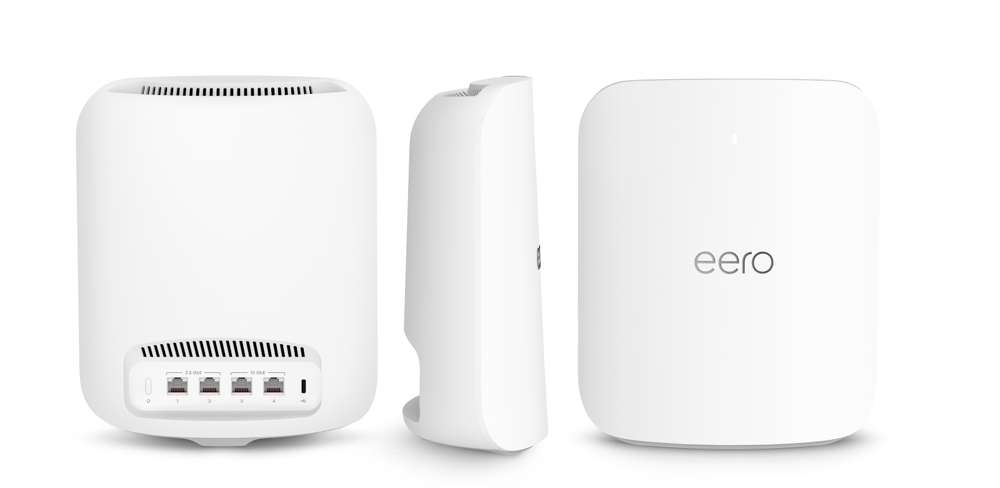
Amazon eero Max 7
Best for: People who want a premium plug-and-play mesh system with a polished app experience and minimal setup fuss.
Why Choose It
This is the easiest premium deployment choice for homes that want simple setup, smart-home compatibility and clean whole-home performance without digging through advanced menus.
Review Angle
eero is regularly recommended for ease of setup, clean app control and premium smart-home friendliness, making it a good fit for non-technical households.
Watch Out
It is expensive, and power users may prefer deeper manual control from other brands.
Official Highlights
Two 10 Gigabit ports plus two 2.5 Gigabit ports
Wireless speeds up to 4.3 Gbps and wired up to 9.4 Gbps
Up to 2,500 sq. ft. coverage per unit and 250+ devices
Check the current Amazon UK price and any available offer.
Locally cached manufacturer product image — click image to view product details on Amazon
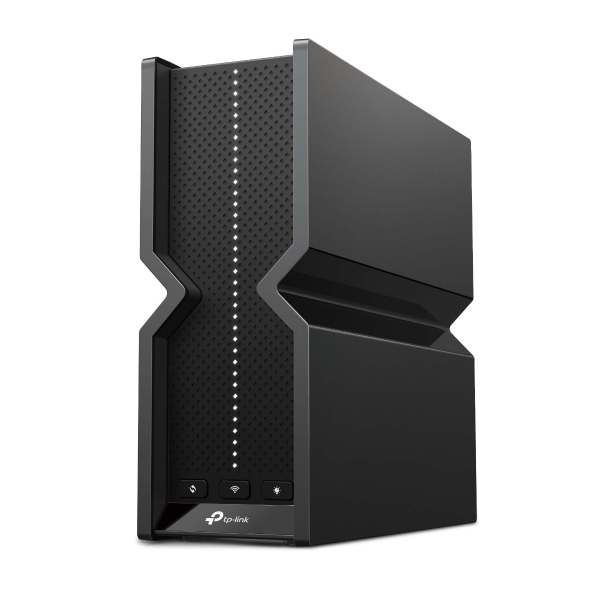
TP-Link Archer BE550 (BE9300 class)
Best for: Homes where the ISP hub is limiting a fast broadband line but one good standalone router should still cover the property.
Why Choose It
This standalone upgrade makes sense when Wi‑Fi is poor even near the router or when you want a clear step up from a weak ISP-supplied hub without buying a full mesh kit.
Review Angle
Wi‑Fi 7 router roundups often like this category because it offers modern speed, 2.5GbE connectivity and strong value without pushing buyers into ultra-expensive gaming gear.
Watch Out
A single router still has physical limits. If several rooms are weak, mesh will usually outperform a one-box upgrade.
Official Highlights
Tri-band Wi‑Fi 7 up to 9328 Mbps
5× 2.5 Gbps ports
EasyMesh support for future expansion
Check the current Amazon UK price and any available offer.
Locally cached manufacturer product image — click image to view product details on Amazon
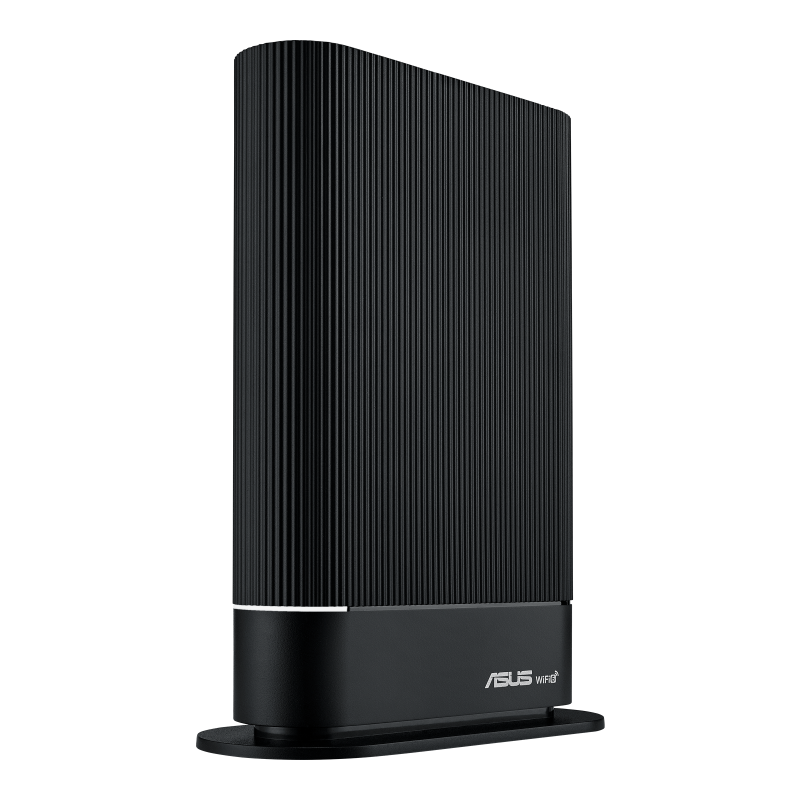
ASUS RT-AX59U
Best for: Budget-conscious homes replacing an ageing Wi‑Fi 5 or weak ISP router.
Why Choose It
Not everyone needs Wi‑Fi 7. This value-focused hardware track fits homes where the real issue is an old or underpowered router and you want a reliable Wi‑Fi 6 upgrade with solid software features.
Review Angle
This model fits the value router slot because it balances Wi‑Fi 6 performance, security tools and AiMesh support without a high-end price.
Watch Out
It is not aimed at multi-gig broadband or buyers who specifically want 6 GHz Wi‑Fi 6E/7 features.
Official Highlights
AX4200 dual-band Wi‑Fi 6
Quad-core CPU and AiProtection Pro
AiMesh support for easy future expansion
Check the current Amazon UK price and any available offer.
Locally cached manufacturer product image — click image to view product details on Amazon
NETGEAR Orbi 770 Series
Best for: Massive properties, multi-floor layouts and detached offices where premium whole-home coverage matters more than price.
Why Choose It
This premium mesh deployment suits homes that genuinely need powerful backhaul, long coverage reach and better multi-device stability across a wide footprint.
Review Angle
Premium mesh roundups usually keep Orbi near the top for large-home coverage and strong backhaul performance, especially when cheaper kits start to struggle.
Watch Out
It is overkill if your actual issue is only one weak room, bad router placement or a slow provider line.
Official Highlights
Tri-band Wi‑Fi 7 up to 11 Gbps
Up to 8,000 sq. ft. coverage for the 3-pack
Dedicated backhaul and 2.5Gbps connectivity
Check the current Amazon UK price and any available offer.
Locally cached manufacturer product image — click image to view product details on Amazon
TP-Link Deco X50 Wi-Fi 6 Mesh
Best for: Homes that need reliable multi-room Wi-Fi but do not need the cost or multi-gigabit wireless features of a premium Wi-Fi 7 kit.
Why Choose It
This fills the practical middle of the market: Wi-Fi 6, optional Ethernet backhaul and straightforward Deco expansion for homes where coverage matters more than benchmark-leading hardware.
Review Angle
The AX3000 class remains a sensible mainstream route for typical UK full-fibre packages, streaming and home working when a premium Wi-Fi 7 mesh would be excessive.
Watch Out
It is dual-band, so wireless backhaul shares capacity with connected devices. Use Ethernet backhaul where possible in demanding homes.
Official Highlights
AX3000 dual-band Wi-Fi 6 with HE160 support
Three Gigabit Ethernet ports per unit
Optional Ethernet backhaul and expansion with other Deco units
Check the current Amazon UK price and any available offer.
Locally cached manufacturer product image — click image to view product details on Amazon
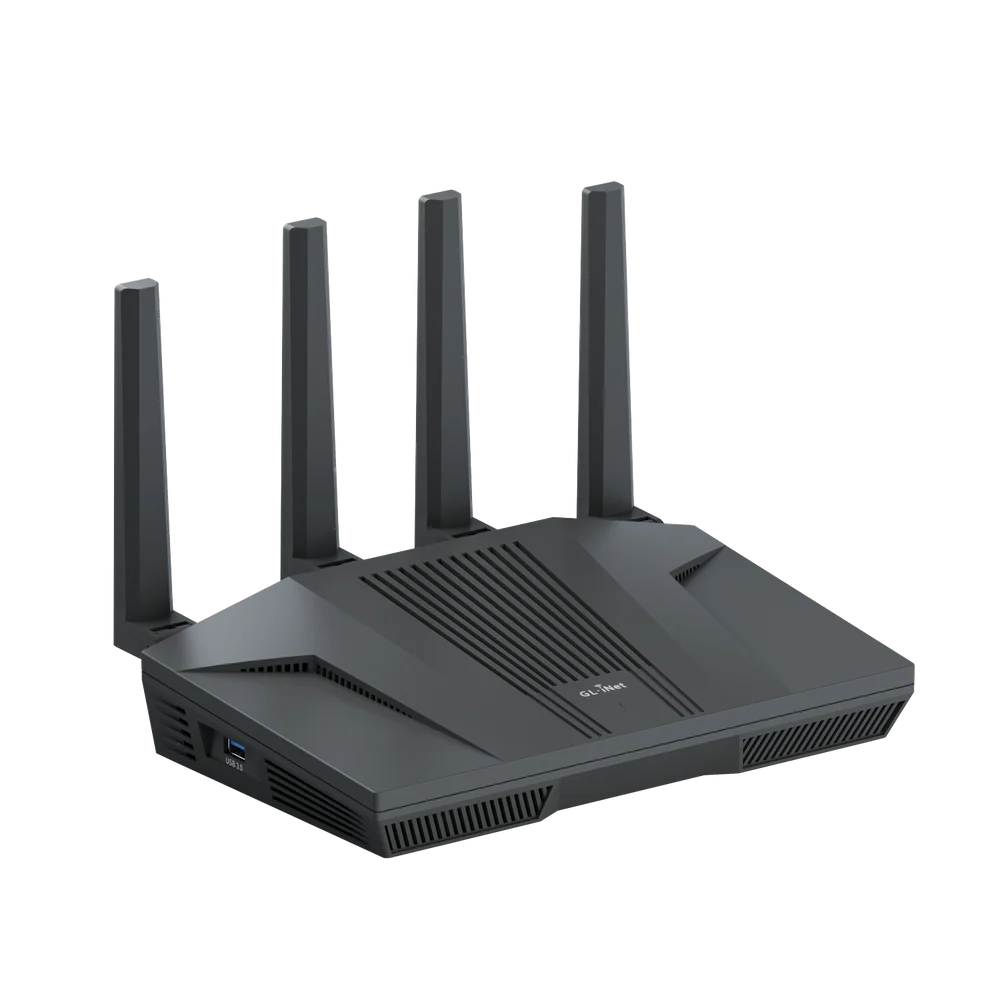
GL.iNet Flint 2 (GL-MT6000)
Best for: Advanced users who want OpenWrt flexibility, multi-WAN, fast VPN capability and more control than a typical consumer router provides.
Why Choose It
This is the strongest advanced-control route in the list. Its processing, storage and OpenWrt base suit users prepared to configure traffic management, VPNs, failover or network segmentation properly.
Review Angle
It offers unusually strong hardware and software flexibility for its class, including two 2.5GbE ports and an OpenWrt-based platform rather than a locked-down consumer interface.
Watch Out
Do not assume CAKE or SQM is optimally configured out of the box. Advanced queue management may require package installation, tuning and throughput trade-offs.
Official Highlights
AX6000 Wi-Fi 6 with a quad-core 2 GHz processor
Two 2.5GbE ports plus four Gigabit LAN ports
OpenWrt-based firmware with multi-WAN and VPN support
Check the current Amazon UK price and any available offer.
View Manufacturer SpecsTest promptly and check the return window shown on the Amazon listing.
Confirm before buying
Confirm the hardware is the problem
Before replacing equipment, compare performance beside the router, in the problem room and over Ethernet. That separates a coverage problem from router, cabling or broadband-line issues.
1Baseline beside the router
Use LinkSpeed close to the hub or over Ethernet to see what the broadband line can really deliver.
2Repeat in the weak room
Test upstairs, in the office, the gaming room or any problem spot where Wi‑Fi performance feels poor.
3Choose the right upgrade
A large room-to-room drop usually points to coverage, mesh placement or router hardware rather than the package itself.
UK ISP compatibility: what happens to the provider hub?
Virgin Media
Check whether your exact Virgin Hub supports Modem Mode.
Enable Modem Mode, then connect the new router's WAN port to the hub.
Restart both devices and confirm the new router receives the public connection.
Hub models and phone services vary, so keep the supplied hub available until the new setup is proven.
Openreach FTTP
Connect the new router's WAN port directly to the ONT by Ethernet.
Enter the provider's login or VLAN details when required.
Retest speed, ping and loaded latency before removing the old hub.
Digital Voice or provider-specific services may require retaining the supplied router.
FTTC and copper lines
Check whether the new device includes a compatible DSL modem.
Otherwise retain the provider hub or a separate modem in bridge/modem mode.
Connect the replacement router by Ethernet and verify authentication.
Do not buy an Ethernet-only router expecting it to plug directly into a telephone socket.
Expert checks
Avoid the cable bottleneck before judging new hardware
Expected link1,000 Mbps
→
Possible bottleneck100 Mbps
An old, damaged or poorly terminated cable can make a new router appear faulty. Replace the cable before returning the hardware.
Use the right Ethernet patch cable
A premium Wi‑Fi 7 mesh kit can still look terrible if the WAN cable between the ONT, modem or router is old, damaged or only linking at 100 Mbps. Use Cat5e as a bare minimum for gigabit, and choose Cat6 or Cat6a for multi-gigabit ports.
Check the link speed after setup
After installation, test wired and wireless results with LinkSpeed. If a gigabit package suddenly tops out near 90–100 Mbps, swap the Ethernet cable before blaming the router or mesh kit.
Test before the return window closes
Run speed, ping and bufferbloat tests beside the router, upstairs and in the weakest room while you are still inside the retailer return window. If mesh backhaul cannot pass through your home materials, switch to Powerline, Ethernet or a wired access point route.
Do not buy on port numbers alone
2.5GbE and 10GbE ports only help when the rest of the chain supports them: ONT, router WAN, LAN ports, cables, switches and the device network adapter all need to match the target speed.
Affiliate disclosure: As an Amazon Associate I earn from qualifying purchases.
Amazon buttons on this page may use affiliate links with the LinkSpeed tracking ID.
 Best All-Round Mesh Upgrade