
Best broadband connection types for gaming
Availability at your exact address matters more than a national ranking. The best gaming connection is usually the one that gives you consistently low latency and stable packet delivery where you live.
| Connection type | Gaming strengths | Watch out for | Best fit |
|---|---|---|---|
| Full fibre | Stable latency, high capacity, strong upload options and good future-proofing. | Availability varies by street and provider network. | Most gamers where available. |
| Cable broadband | Fast downloads and wide high-speed availability in many areas. | Upload ratios, local congestion and router/Wi‑Fi performance can affect experience. | Homes needing high download where cable is the fastest option. |
| Part-fibre / FTTC | Can be usable for gaming if the line is stable and latency is low. | Lower upload and speed can be limiting for busy homes or streaming. | Areas without full fibre or cable. |
| 5G home broadband | Can be fast and flexible with a strong signal. | Latency, jitter and packet loss can vary with signal, mast load and router position. | Homes with excellent 5G signal or limited fixed-line options. |
| Satellite | Useful where other options are unavailable. | Latency can be higher or more variable depending on service and conditions. | Remote areas with no stable fixed-line or 5G option. |
Gaming broadband checklist
Ping below 30–60 ms
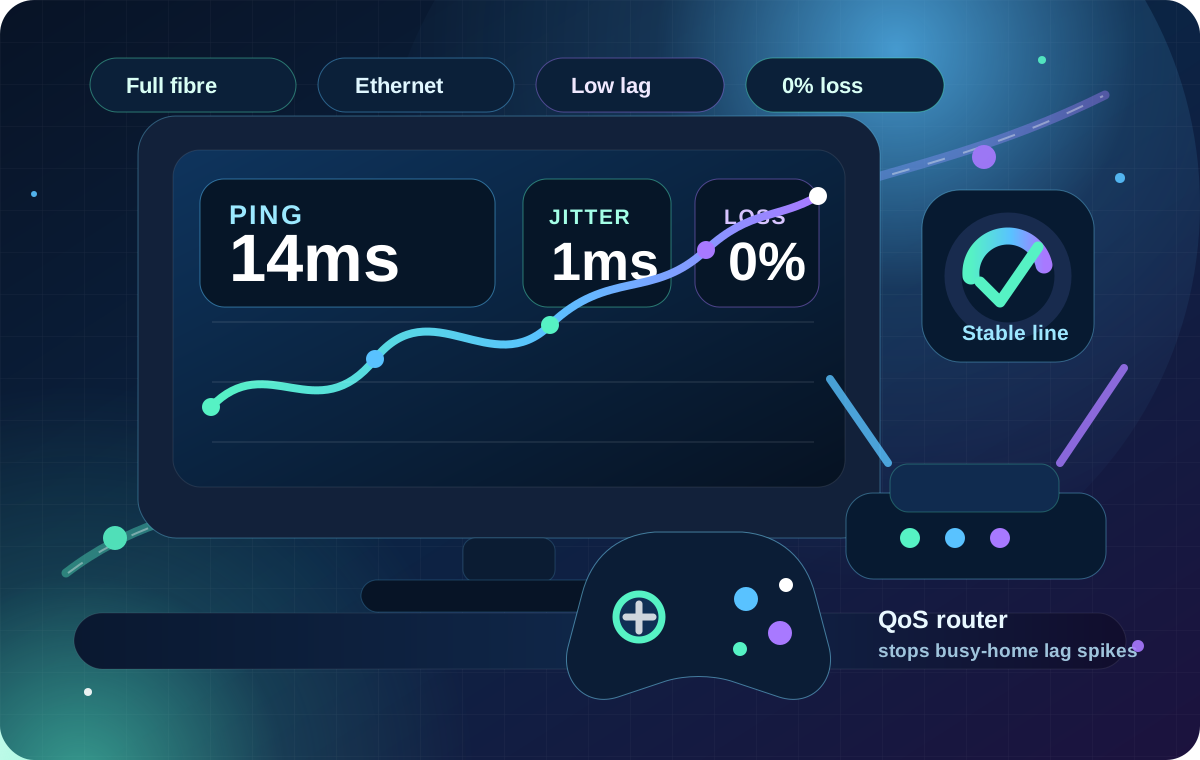
Lower is better, but consistency matters. A stable 35 ms can feel better than 15 ms with spikes.

Low jitter
Jitter causes inconsistent delay. It is often more noticeable than download speed in fast games.

No packet loss
Packet loss can cause rubber-banding, missed inputs, failed voice chat and disconnects.

Enough upload
Important for voice chat, streaming gameplay, cloud saves, video calls and multiple gamers at once.

Router with QoS or SQM
Good traffic management can reduce lag spikes when someone downloads, uploads or streams.

Ethernet option
Wired is still the most reliable setup for consoles, PCs and competitive gaming.
Best provider types for gamers
Provider choice should start with the networks available at your address. Where full fibre is available, compare Openreach-based providers, local alternative networks and any cable provider in your area. In flats and cities, also check building-specific networks.

Competitive gaming
Prioritise low ping, Ethernet, packet-loss-free stability and a router with bufferbloat control.
High ping guide
Game downloads
Prioritise high download speed and a package that avoids slowing the rest of the home.
Speed guide
Livestreaming
Prioritise upload speed, low packet loss, stable latency and good router traffic management.
Upload guide
Shared family gaming
Prioritise capacity, Wi‑Fi coverage, router quality and loaded latency under household use.
Loaded latency
Rural gaming
Compare FTTC, full fibre altnets, 5G and fixed wireless options if available.
Rural gaming guide
Wi‑Fi gaming
Use Wi‑Fi 6 or better where possible, place the router well and test for jitter in the room you play.
Improve Wi‑FiWhat about gaming routers?
A gaming router can help if your current router struggles when the connection is busy. Features such as QoS, SQM, device priority, strong Ethernet ports and better Wi‑Fi can reduce lag spikes, especially in busy homes.
A gaming router will not fix every issue. It cannot make a poor broadband line stable, it cannot overcome a distant game server, and it may not help if the real problem is weak Wi‑Fi signal in the gaming room.
How to reduce gaming lag
- Use Ethernet for your console or PC. This removes Wi‑Fi interference and roaming issues.
- Test loaded latency. Lag that appears when others use the internet often points to bufferbloat.
- Pause downloads and uploads. Game updates, cloud backups and phone photo sync can cause spikes.
- Choose the nearest server region. Game server distance can dominate ping.
- Disable VPNs for gaming tests. VPN routing can add delay and packet loss.
- Improve Wi‑Fi placement. Move the router into the open, high and away from thick walls or TVs.
- Check upload speed. Streaming, voice chat and cloud backups can saturate upload.
- Switch only after testing. If Ethernet tests are poor at different times, then a provider or package change is more likely to help.
When should gamers switch broadband?
Switching is worth considering if your wired tests show repeated high ping, poor upload, packet loss, evening slowdowns or low speeds compared with your expected package. If wired tests are good but Wi‑Fi is bad, improve the router, placement or mesh setup first.
Before ordering, check contract length, mid-contract price changes, upload speed, router model, minimum guaranteed speed, installation dates and whether early termination charges apply to your current deal.