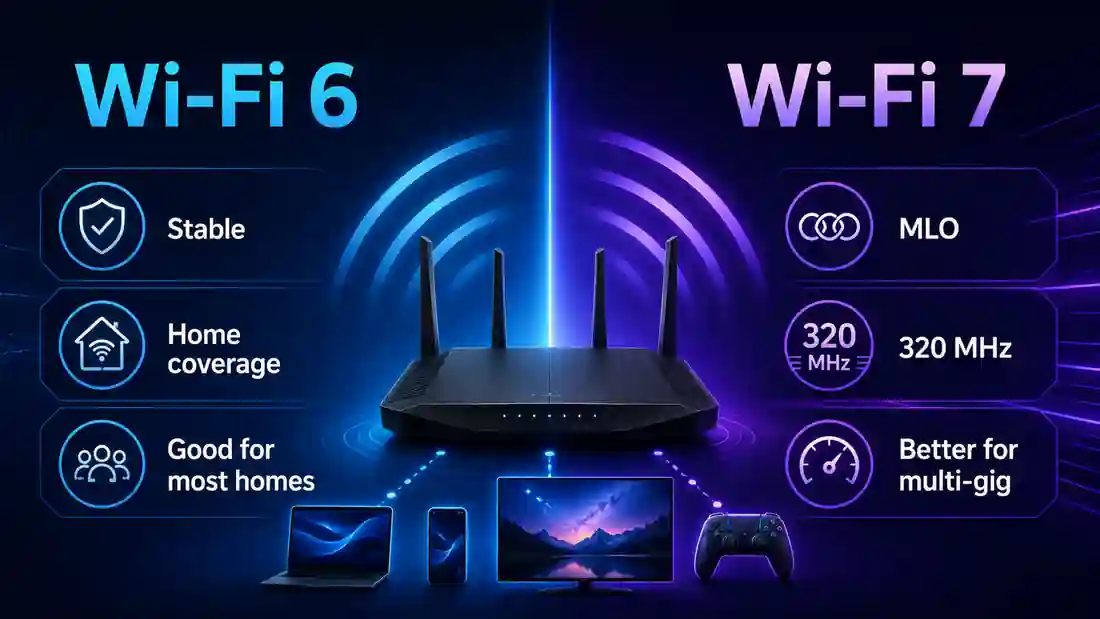
Wi-Fi 7 is most useful when compatible clients, multi-gigabit speeds, congested airtime or premium mesh backhaul are the proven limit. Otherwise, a good Wi-Fi 6 setup often remains enough.
Router upgrade guide
Wi‑Fi 7 is faster, but most Wi‑Fi 6 homes should upgrade only for a proven bottleneck
Wi‑Fi 7 can deliver much more single-client headroom, 320 MHz channels and Multi-Link Operation, but those gains depend on compatible clients, strong signal and the right spectrum. If Wi‑Fi 6 already delivers your broadband speed reliably, replacing it for the badge alone is unlikely to transform everyday use.
Quick verdict
Wi‑Fi 6 vs Wi‑Fi 7: which should you choose in 2026?
Keep Wi‑Fi 6 when it already delivers the speed and coverage you pay for. Move to Wi‑Fi 7 when a compatible client, multi-gigabit service, congested wireless environment or high-capacity mesh backhaul is genuinely being held back by the existing wireless link.
Swipe horizontally to view all table columns →
Home or use case
Best starting point
Why
Sub-gigabit broadband, stable Wi‑Fi 6
Keep Wi‑Fi 6
A good Wi‑Fi 6 link can already deliver most UK sub-gigabit packages. Test beside the router before assuming the standard is the limit.
Gigabit or multi-gigabit broadband with Wi‑Fi 7 clients
Wi‑Fi 7
320 MHz-capable 6 GHz clients and faster router ports can unlock substantially more wireless headroom.
Busy flat or home with wireless jitter
Wi‑Fi 7 can help
MLO, Multi-RU and puncturing can improve resilience when interference or contention is the measured problem.
Weak room, brick walls or foil-backed insulation
Fix coverage first
A newer standard does not remove wall loss. Placement, wired access points or better mesh-node positioning usually matter more.
Mostly Wi‑Fi 5 / Wi‑Fi 6 client devices
Avoid a Wi‑Fi 7-only upgrade
Older clients connect through backward compatibility and cannot gain Wi‑Fi 7-only features such as MLO, 320 MHz or 4K-QAM.
The practical rule: upgrade for a measured limit, not the 46 Gbps headline. The calculator and test workflow below help separate broadband, coverage, client and router bottlenecks.
Wi‑Fi 6 remains a sensible choice for many sub-gigabit homes; Wi‑Fi 7 becomes more useful when compatible clients, multi-gigabit speeds or congested wireless conditions create a real bottleneck.
Technical comparison
What is the real-world speed difference between Wi‑Fi 6 and Wi‑Fi 7?
Wi‑Fi 7 has a much higher ceiling, but the 46 Gbps headline is an aggregate theoretical maximum, not a normal single-phone or laptop result. For a fair buyer decision, compare the client radio, channel width, router ports and independent measured throughput.
Swipe horizontally to view all table columns →
Metric or feature
Wi‑Fi 6 (802.11ax)
Wi‑Fi 7 (802.11be)
Why it matters in a UK home
Maximum theoretical speed
Up to 9.6 Gbps
Up to 46 Gbps
Provides more headroom for multi-gigabit packages, local transfers and high-capacity mesh backhaul.
Maximum channel width
160 MHz
320 MHz
Wider channels can increase local throughput, but spectrum availability, signal and neighbouring networks still determine whether they are practical.
Modulation
1024-QAM
4096-QAM / 4K-QAM
Moves more data per transmission only when signal quality is strong enough.
Frequency bands
2.4 GHz and 5 GHz; Wi‑Fi 6E adds 6 GHz
2.4 GHz and 5 GHz, with 6 GHz optional on Wi‑Fi 7 hardware
A Wi‑Fi 7 badge does not guarantee a 6 GHz radio. Without 6 GHz, a router cannot use 320 MHz channels.
Spatial streams
Up to 8×8 MU‑MIMO
Up to 16×16 MU‑MIMO
Router capability can rise substantially, while most phones and laptops still use fewer streams.
Multi-Resource Units (Multi-RU)
One Resource Unit per client in a scheduled OFDMA transmission
More than one Resource Unit can be assigned to the same client
The scheduler can fill separated pieces of channel capacity more efficiently. Alongside preamble puncturing, this helps keep usable spectrum productive instead of wasting an otherwise available block.
Key latency feature
OFDMA and improved scheduling
Multi‑Link Operation and preamble puncturing
Wi‑Fi 7 can avoid congested links or affected parts of a wide channel when compatible hardware supports the feature.
The 46 Gbps headline vs a realistic client path
Two different numbers are often mixed together. The 46 Gbps figure describes the standard's aggregate theoretical capability across many streams. A common 2×2 client is a much narrower test. Intel documents a 5.76 Gbps theoretical PHY rate for a 2×2 Wi‑Fi 7 client using 320 MHz and 4K-QAM, while RTINGS' July 2026 comparison measured a highest result of 3.49 Gbps on its fastest Wi‑Fi 7 router in that test set.
Wi‑Fi 6 2×2 / 160 MHz PHY2.4 Gbps
Wi‑Fi 7 2×2 / 320 MHz / 4K-QAM PHY5.76 Gbps
Fastest Wi‑Fi 7 result in RTINGS' cited comparison3.49 Gbps
Wi‑Fi 6E and Wi‑Fi 7 can use the 6 GHz band, but the amount of spectrum available to an ordinary home access point is determined by UK regulation. That makes a UK buying guide different from a US specification sheet.
5925–6425 MHz
Lower 6 GHz: 500 MHz already available
This is the established licence-exempt lower 6 GHz block used by compatible indoor Wi‑Fi equipment. A single 320 MHz network occupies most of that block, so dense flats have limited room for multiple completely separate 320 MHz networks.
6425–6585 MHz
Ofcom's July 2026 Wi‑Fi-priority extension
On 20 July 2026 Ofcom decided to prioritise the next 160 MHz for Wi‑Fi on the same licence-exempt basis as lower 6 GHz. Draft regulations are part of the implementation, so buyers should not assume every current router or client can use the extension immediately.
6585–7125 MHz
Mobile-priority spectrum with AFC-managed Wi‑Fi access
Ofcom's framework also permits Wi‑Fi access in the mobile-priority portion when controlled by an Automated Frequency Coordination system. That is a different operating model from ordinary low-power indoor home Wi‑Fi.
What this means in a block of flats: forcing a 320 MHz channel is not automatically better. If neighbouring networks overlap, a narrower clean channel can produce more consistent throughput and latency. Wi‑Fi 7's Multi-RU and puncturing features help use fragmented spectrum, but they do not make interference disappear.
Ofcom's July decision is therefore more nuanced than the common claim that the UK will permanently have room for only one 320 MHz channel. The established lower band is tight today, while the new Wi‑Fi-priority 160 MHz and AFC framework are intended to expand future options. Read Ofcom's 20 July 2026 decision.
How does Wi-Fi 7 preamble puncturing help in busy UK homes?
Preamble puncturing lets a wide Wi-Fi channel keep using the clean parts of its spectrum when one smaller sub-channel is affected by interference. Without puncturing, interference inside part of a wide channel can force the network to avoid or reduce use of the wider channel. With compatible Wi-Fi 7 equipment, the affected portion can be excluded while traffic continues across the remaining usable spectrum.
802.11be detail: EHT preamble puncturing works by marking eligible secondary sub-channels as unavailable within an 80, 160 or 320 MHz channel so the remaining non-punctured spectrum can still carry the transmission. Cisco documents puncturing at 20 MHz resolution for 80 MHz channels, 20 or 40 MHz for 160 MHz, and larger permitted puncturing patterns for 320 MHz. Vendor documentation may also describe static and dynamic puncturing; compatible APs can advertise unavailable portions through the EHT disabled subchannel bitmap so clients know which slices of the bonded channel are excluded. This creates a discontinuous set of usable sub-channels, but it should not be confused with Multi-Link Operation or with the older, separate term “non-contiguous channel aggregation”.
CleanCleanInterferenceCleanCleanCleanCleanClean
Result: the interfered slice is punctured out rather than automatically wasting the whole wide-channel opportunity.
This is particularly relevant in flats and dense streets where neighbouring networks may occupy part of the available 5 GHz or 6 GHz spectrum. It does not guarantee that a forced 320 MHz channel will outperform a clean 160 MHz channel, and it cannot overcome heavy interference across most of the band. Automatic channel selection and narrower channels can still be the better choice.
Preamble puncturing is most useful when the router and client support the required Wi-Fi 7 behaviour and only part of the wider channel is impaired. It complements MLO and Multi-RU; it does not replace good placement or clean spectrum.
Why 6 GHz Wi‑Fi loses more signal through UK walls
There is no trustworthy universal dB figure for “a wall”: thickness, moisture, metal mesh, foil-backed insulation and angle all matter. The useful comparison is relative. Higher-frequency 6 GHz links usually lose useful range sooner than 5 GHz, while 2.4 GHz normally travels furthest.
Open room
2.4 GHz
5 GHz
6 GHz
Plasterboard partition
2.4 GHz
5 GHz
6 GHz
Brick / dense masonry
2.4 GHz
5 GHz
6 GHz
Foil-backed insulation
2.4 GHz
5 GHz
6 GHz
This is a qualitative troubleshooting guide, not a laboratory attenuation table. If one room is the problem, compare the UK wall and foil-insulation Wi‑Fi guide before buying a new router generation.
Check whether Wi‑Fi or broadband is the bottleneck
Compare the same device beside the router, in the problem room and over Ethernet. The result tells you whether a newer standard, better placement, mesh backhaul or the broadband connection needs attention.
Is a Wi‑Fi 7 router worth upgrading to for your home?
This client-side calculator scores upgrade fit from 1 to 10 using the factors that actually unlock Wi‑Fi 7: broadband speed, current router generation, compatible clients, workload and the fault you are trying to fix. Nothing entered here is sent to LinkSpeed.
2/10
Personalised result — updates as you change the inputs
Test before upgrading
A working Wi‑Fi 6 setup on a sub-gigabit line is usually worth testing before replacement. Compare Ethernet and near-router Wi‑Fi first.
Verify before buying: With the default 500 Mbps + Wi-Fi 6 inputs, first run the Broadband Speed Test beside the router and compare it with Ethernet. If both are already close to the package speed, Wi-Fi 7 cannot raise the external broadband ceiling; upgrade only for a separate coverage, local-transfer or congestion problem.
The score is a decision aid, not a performance benchmark. Coverage faults can score low even when the router is old because a newer Wi‑Fi generation does not remove wall attenuation.
STR vs EMLSR: what Multi‑Link Operation actually does on Wi‑Fi 7
Multi‑Link Operation is not one single behaviour. Wi‑Fi 7 can coordinate more than one link, but the router and client must support compatible MLO modes. That is why two products carrying the same Wi‑Fi 7 badge can behave very differently.
Wi‑Fi 6 / Wi‑Fi 6E
The client normally has one active data link at a time. A roam or change of band is separate from Wi‑Fi 7 MLO.
Device→One active link→Router
Wi‑Fi 7 MLO
Compatible equipment can establish multiple links and then use them according to the supported MLO mode: alternating between links or operating more than one radio concurrently.
Device⇄5 GHz + 6 GHz⇄Router
Why “true MLO vs fake MLO” is an oversimplification
Those labels are useful search shorthand, but they are not formal IEEE categories. The practical distinction is whether hardware is using an alternating single-radio mode or has the independent radio architecture needed for simultaneous multi-radio operation.
Swipe horizontally to view all table columns →
MLO mode
Radio behaviour
Can data use two bands simultaneously?
Practical benefit
EMLSR (Enhanced Multi-Link Single Radio)
Coordinates multiple links but uses one primary data radio at a time, switching rapidly between eligible links.
No for simultaneous data transmission
Fast link selection, resilience and lower disruption when one band becomes busy; do not expect simple 5 GHz + 6 GHz speed addition.
Simultaneous multi-radio MLO, including STR-MLMR mechanisms
Uses independent radio chains that can operate on more than one link at the same time, subject to RF isolation and implementation support.
Yes, when both ends support compatible multi-radio operation
Potential aggregate throughput and lower latency under the right workload, but more complex and expensive hardware is required.
What independent 2026 testing found: RTINGS inspected Wi‑Fi 7 beacon frames from 25 consumer routers. Twenty-two advertised EMLSR, while none advertised the EMLMR, SRS or STR‑MLMR capability set that RTINGS assessed for simultaneous multi-radio MLO. Treat that as a finding about the routers in that test set, not a claim that the Wi‑Fi 7 standard itself cannot support simultaneous links. Read the RTINGS MLO packet analysis.
What MLO does not fix
MLO does not move a game server closer, repair provider routing or remove queueing that also affects Ethernet. For gaming-specific diagnosis, use the Wi‑Fi 7 gaming ping guide and compare the result with the Loaded Latency Test.
The phones, laptops or adapters that matter can use the newer standard and have current drivers.
Heavy local traffic and mesh backhaul
Large transfers, wireless VR or many active devices have exposed a capacity limit. For wired mesh backhaul, audit every port, switch, cable run and termination. Suitable Cat5e can carry 2.5GBASE‑T and often 5GBASE‑T, so it is not automatically restricted to 1 Gbps; Ethernet Alliance guidance explains this upgrade path. Use tested solid-copper Cat6 or Cat6A for new multi-gigabit runs, especially when planning for 10GbE.
Does every Wi‑Fi 7 router support 6 GHz, 320 MHz and full MLO?
No. A Wi‑Fi 7 product label or certification does not mean every optional feature is present. Independent testing shows that 6 GHz and 240/320 MHz support can be absent from a Wi‑Fi 7 product, while MLO capability also varies by implementation. Check the exact router and the exact client instead of buying by the generation badge alone.
PC adapter examples
Intel AX200: Wi‑Fi 6, no 6 GHz or Wi‑Fi 7 MLO. Intel AX210: Wi‑Fi 6E with 6 GHz, but not Wi‑Fi 7. Intel BE200-class: Wi‑Fi 7 with 320 MHz / 4K-QAM capability when the platform, OS, router and regional rules all support it.
Phones and laptops
Many compact clients use 2×2 radios even when a premium router advertises many more spatial streams. A Wi‑Fi 7 phone can therefore remain far below the router's aggregate headline number. Check channel width and MLO mode, not only the logo.
Provider hub replacement
Check modem mode, bridge mode or Ethernet WAN handoff before buying. A new router cannot bypass an incompatible access method, a 1GbE bottleneck or poor line performance.
Can a dual-band Wi‑Fi 7 router use 320 MHz?
No. TP-Link's current Wi‑Fi 7 specifications state that 320 MHz is a 6 GHz feature, while RTINGS notes that 6 GHz itself is optional in Wi‑Fi 7. A dual-band 2.4/5 GHz Wi‑Fi 7 router can still implement parts of 802.11be, but it cannot provide a 6 GHz 320 MHz link. This is one of the most important checks on lower-cost Wi‑Fi 7 hardware.
Wi‑Fi 6 clientConnects to Wi‑Fi 7 router
Yes, through backward compatibility.
6 GHz: No
320 MHz: No
Wi‑Fi 7 MLO: No
Wi‑Fi 6E clientUses 6 GHz
Yes, when the router exposes a compatible 6 GHz network.
6 GHz: Yes
320 MHz: No
Wi‑Fi 7 MLO: No
Wi‑Fi 7, 6 GHz capablePotential full feature path
Feature support still depends on the exact radio and software.
6 GHz: Check model
320 MHz: Check model / region
MLO: Check compatible mode
Which UK ISP routers already use Wi‑Fi 7 in 2026?
Swipe horizontally to view all table columns →
Provider / hub
Wi‑Fi generation
Useful buying detail
EE Smart Hub 7 Plus
Wi‑Fi 7, dual-band
EE supplies it with select full-fibre plans; the dual-band design is a real UK example of Wi‑Fi 7 without a tri-band 6 GHz radio path.
EE Smart Hub 7 Pro
Wi‑Fi 7, tri-band
Used on EE's higher-end 1.6Gbps route, with a different radio and Ethernet profile from the 7 Plus.
Sky Gigafast+ Hub
Wi‑Fi 7
Supplied with Sky's 2.5Gbps and 5Gbps Gigafast+ tiers.
Virgin Media Hub 5 / 5x
Wi‑Fi 6
A newer Wi‑Fi 7 router is not automatically necessary if the existing Wi‑Fi 6 hub already delivers the package and coverage you need.
Buyer check: confirm the exact model's 6 GHz support, maximum channel width, MLO mode, Ethernet WAN/LAN speeds and Wi‑Fi Alliance certification record. A “BE” speed class or Wi‑Fi 7 logo alone does not tell you which optional features are present.
Will my older Wi‑Fi 6 devices run faster on a Wi‑Fi 7 router?
Not inherently. They continue using Wi‑Fi 6 and cannot access Wi‑Fi 7 MLO, 320 MHz channels or 4K-QAM. They may benefit indirectly if newer clients move heavy traffic onto other links and reduce contention.
Is Wi‑Fi 7 backward compatible with older devices?
Yes. Wi‑Fi 7 routers can connect compatible Wi‑Fi 6, Wi‑Fi 5 and older devices, but each client remains limited by its own radio standard, antennas, channel width and supported bands.
Do I need a new router and device for Wi‑Fi 7?
Yes for Wi‑Fi 7-only features. The router or access point and the client both need compatible Wi‑Fi 7 hardware and software. Older devices can still connect but remain on their own generation.
Does Wi‑Fi 7 improve gaming ping?
It can reduce local wireless jitter when congestion or retries are the problem. It cannot reduce the physical distance to the game server or repair poor ISP routing, and it will not fix bufferbloat that also appears over Ethernet.
Can a dual-band Wi‑Fi 7 router use 320 MHz channels?
No. A dual-band 2.4/5 GHz Wi‑Fi 7 router can still support Wi‑Fi 7 features, but 320 MHz channels are a 6 GHz feature. Check for a 6 GHz radio before assuming the router can use the widest Wi‑Fi 7 channel.
What is the difference between EMLSR and STR MLO?
EMLSR coordinates multiple links but uses one primary data radio at a time, switching rapidly between eligible links. STR multi-link multi-radio uses independent radios that can operate on more than one link simultaneously when both router and client support compatible modes.
Do I need to replace my Ethernet cables for a Wi‑Fi 7 mesh system?
Not automatically. Suitable Cat5e can often carry 2.5GbE, while Cat6 or Cat6A is a sensible choice for new multi-gigabit runs. Check every router, mesh node, switch and client port before replacing cable that is already negotiating at the required speed.
Check whether Wi-Fi 7 would solve the real problem
A Wi-Fi generation upgrade helps most when the client devices, router and broadband link can use the extra capability. Coverage and placement problems may need a different fix.